
Blog
WordPress Maintenance for Contractors and Tradespeople
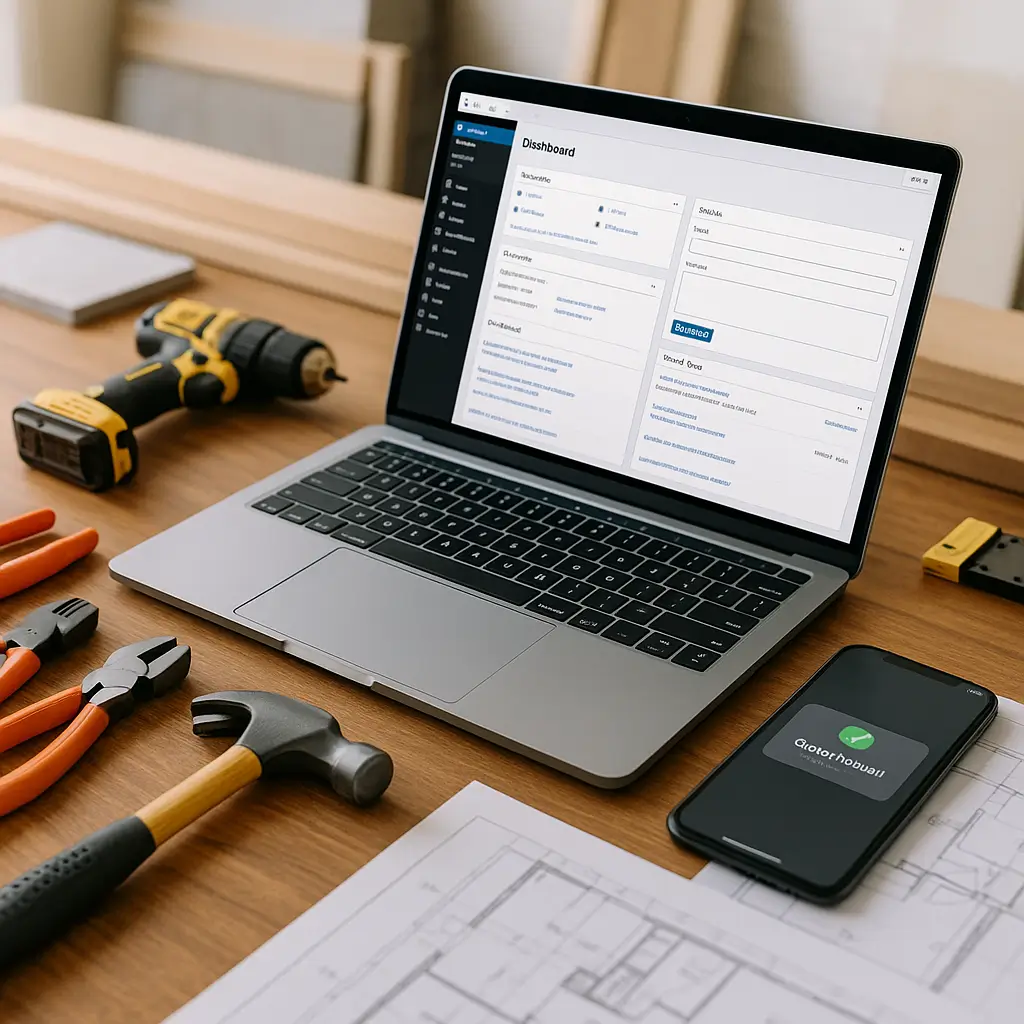
Your website is often the first “quote request” a customer makes before they ever call you.
For contractors and tradespeople, WordPress maintenance is not about polishing a brochure site for fun. It is about keeping phones ringing, quote forms working, project photos loading quickly, and service pages accurate for the towns and neighbourhoods you actually serve.
If you are a plumber, electrician, roofer, HVAC contractor, landscaper, painter, renovator, general contractor, or another home service business, your website has a practical job: turn local visitors into leads. Maintenance keeps that job from quietly breaking in the background.
Why WordPress Maintenance Matters for Trades Businesses
Trades websites tend to be simple on the surface: services, photos, contact form, phone number, reviews, and service areas. But even a simple WordPress site has moving parts.
Your theme, plugins, contact forms, security settings, caching, backups, image galleries, and hosting environment all need attention. If one piece fails, the customer may not tell you. They just call someone else.
This is especially true for emergency and high-intent searches. Someone with a burst pipe, broken furnace, electrical issue, or leaking roof is not going to troubleshoot your website. If your form hangs or your mobile page takes too long, they move on.
We covered the broader business case in Why Trades Businesses Need Website Maintenance, but this guide focuses on what maintenance actually looks like for contractors and tradespeople.
What Should Be Maintained on a Contractor Website?
A good maintenance routine should cover more than clicking “update” inside WordPress. Updates are part of it, but they are not the whole job.
For most trades websites, maintenance should include:
- WordPress core, theme, and plugin updates
- Backups that can actually be restored
- Security monitoring and malware scanning
- Contact form and quote form testing
- Mobile performance checks
- Image optimization for project galleries
- Broken link checks
- Service page updates
- Service area accuracy checks
- Review, testimonial, and trust signal updates
- Uptime monitoring
- Database cleanup and performance tuning
That may sound like a lot, but it does not all need to happen daily. The trick is knowing what to check weekly, monthly, and whenever your business changes.
The Maintenance Tasks That Matter Most
1. Keep WordPress, Plugins, and Themes Updated
Outdated plugins are one of the most common ways WordPress sites get compromised. This matters for trades businesses because many sites use contact form plugins, gallery plugins, SEO plugins, page builders, review widgets, and tracking scripts.
Updates fix bugs, close security holes, and keep your site compatible with newer server software. But updates can also occasionally break layouts, forms, sliders, or quote request tools.
The safer approach is to back up the site first, update in a controlled order, and test important pages after. If your site has custom functionality, online booking, payment deposits, or complex forms, use a staging site before pushing updates live.
Tip: Do not update everything right before a busy weekend, storm, heat wave, cold snap, or seasonal rush. If your phones are about to light up, stability matters more than rushing a non-critical update.
2. Test Your Quote Request Forms
This is the big one for contractors. Your quote form can look fine and still fail.
Email delivery issues, spam filters, plugin conflicts, expired CAPTCHA keys, changed notification settings, or hosting mail restrictions can stop leads from reaching your inbox. The customer may see a success message, while you receive nothing.
At least once a month, submit a real test lead through every form on your site. Use a different email address than your business address, include a phone number, and confirm the message arrives where it should.
Also check:
- Does the form work on mobile?
- Does the confirmation message make sense?
- Does the notification email include the customer’s phone number?
- Does the email land in spam?
- Does the form still work after plugin updates?
- Are leads being saved in WordPress as a backup, if your form plugin supports that?
For a deeper checklist, read How to Monitor Your Quote Request Forms.
3. Make Sure Your Phone Number Is Easy to Tap
A surprising number of contractor websites bury the phone number, especially on mobile. That is a missed opportunity.
Your phone number should be visible near the top of the mobile page, clickable, and repeated in the footer. If you offer emergency service, make that obvious without making the page look spammy.
Test it yourself. Open your site on your phone, pretend you are a homeowner in a hurry, and see how fast you can call.
4. Keep Project Photos Fast and Organized
Photos sell trust. Before-and-after shots, finished installs, panel upgrades, landscape projects, roofing work, renovations, and equipment photos help customers believe you can do the job.
The problem is that project photos from modern phones are often huge. Uploading them directly to WordPress without resizing or compression can slow your site dramatically.
A practical photo maintenance routine looks like this:
- Delete duplicate or blurry photos before uploading
- Resize large images before adding them to WordPress
- Use modern image formats where your setup supports them
- Add descriptive file names before upload
- Use short, clear alt text where appropriate
- Group photos by service type or project category
- Remove outdated photos that no longer represent your work quality
If your project gallery is your biggest selling tool, do not treat it like a dumping ground. A smaller gallery with strong, fast-loading photos usually performs better than a massive gallery full of slow images.
5. Keep Service Pages Accurate
Trades businesses change over time. You may stop offering small repair jobs, add heat pump installs, expand to commercial work, drop a service area, or start offering financing.
Your website should match reality. If your site says you service a town you no longer cover, you waste time answering bad leads. If it fails to mention a profitable service you now offer, you miss good leads.
Review your core service pages monthly or quarterly. Look for:
- Services you no longer want to promote
- New services that need their own page
- Old wording that no longer matches your process
- Missing photos from recent projects
- Weak calls to action
- Outdated warranty, licensing, or insurance information
- Old team or vehicle photos
If you serve multiple cities or regions, keep those pages honest. Thin, copied service area pages rarely help. Useful pages with real local details, photos, and clear service information have a better chance of helping visitors and search engines.
Mobile Maintenance Is Not Optional
Most homeowners searching for a contractor are on a phone. They might be standing in a basement, sitting in a driveway, or searching after work from the couch.
Your mobile site needs to be fast, readable, and easy to use with one thumb. That means no tiny text, no broken menus, no oversized image sliders, and no forms with twenty fields.
Check these items regularly:
- Can visitors tap to call without zooming?
- Does the menu open properly?
- Does the quote form fit the screen?
- Are buttons large enough to tap?
- Do project galleries load quickly?
- Does the page avoid annoying popups on mobile?
- Does the site load well on cellular data, not just office Wi-Fi?
For more trade-specific advice, see Mobile Optimization for Trades Websites.
Security Maintenance for Contractors
You may not think your contractor website is a target, but automated bots do not care what industry you are in. They scan WordPress sites looking for weak passwords, old plugins, exposed login pages, and vulnerable themes.
A hacked site can redirect visitors, send spam, host malicious files, damage your Google visibility, or trigger browser warnings. That is bad enough for any business, but it is especially painful when customers are trying to decide whether they trust you in their home.
Basic security maintenance should include:
- Strong admin passwords
- Two-factor authentication for admin users
- Removing unused admin accounts
- Deleting unused themes and plugins
- Regular malware scanning
- Firewall protection
- Login attempt protection
- SSL certificate monitoring
- File change monitoring where appropriate
If your website collects names, phone numbers, addresses, job details, or photos through forms, remember that this is personal information. Canadian businesses should be mindful of privacy obligations, including PIPEDA where it applies.
You do not need to turn your website into a legal document, but you should have a clear privacy policy, avoid collecting information you do not need, and protect form submissions properly.
Backups: The Safety Net You Hope You Never Need
Backups are boring until they save your business a huge headache.
A useful backup setup should include both files and the database. It should run automatically, store copies away from the live site when possible, and be tested occasionally.
For most trades websites, daily backups are a sensible baseline. If you update the site rarely, that may sound excessive, but form entries, plugin settings, media uploads, and content changes can still happen between manual backups.
Before major updates, take an extra backup. Before redesign work, take an extra backup. Before replacing a form plugin, take an extra backup.
And do not assume a backup works just because a plugin says it completed. A backup that cannot be restored is not much of a backup.
Speed Maintenance: Why Fast Sites Win More Jobs
Website speed affects how visitors behave. If your site feels slow, people lose patience.
For contractors, speed issues often come from oversized photos, bloated page builders, too many plugins, weak hosting, unoptimized scripts, and poor caching. These problems build up slowly, so a site that felt fine when it launched can become sluggish over time.
Here are practical speed maintenance tasks:
- Compress and resize new photos before upload
- Remove unused plugins
- Clear out old drafts and revisions where appropriate
- Use caching carefully
- Minimize unnecessary third-party scripts
- Review large homepage sliders
- Check mobile speed after major content changes
- Use quality hosting with fast storage and server-level performance tools
Ambrite’s cloud web hosting uses LiteSpeed, NVMe SSD storage, and Imunify360, which is a strong fit for small business WordPress sites that need speed and security without enterprise complexity. Hosting starts at $7.99/month CAD.
How Often Should Contractors Maintain Their WordPress Site?
Here is a simple schedule that works for many trades businesses.
Weekly
- Check that the site loads
- Review uptime alerts, if you use monitoring
- Check for obvious layout issues
- Review new form submissions or spam issues
- Confirm backups are running
Monthly
- Update WordPress, plugins, and themes after backing up
- Test all contact and quote forms
- Check mobile layout on key pages
- Scan for malware or security warnings
- Review site speed on major pages
- Add recent project photos if available
- Remove outdated promotions or seasonal messaging
Quarterly
- Review service pages for accuracy
- Check service area pages
- Update testimonials and reviews
- Review plugins and remove what you no longer use
- Test a backup restore in a safe environment
- Check privacy policy and form collection practices
- Look for broken links or outdated pages
Whenever Your Business Changes
- Add or remove services
- Update phone numbers or office locations
- Change service areas
- Add new certifications, licenses, or memberships
- Update emergency service messaging
- Replace old team, truck, or equipment photos
When Not to Do Maintenance Yourself
Some owners can handle basic maintenance just fine. If your site is simple, you are comfortable with WordPress, and you have time to test things properly, DIY maintenance can work.
But there are times when doing it yourself is not worth the risk.
Consider getting help if:
- You are not sure whether backups are working
- You avoid updates because you are afraid something will break
- Your quote forms have failed before
- Your site uses a page builder you do not understand
- Your site has custom code or custom forms
- You rely heavily on Google Ads or SEO traffic
- You have no time to test after updates
- Your site has already been hacked once
The tradeoff is simple. DIY saves money if everything goes smoothly. Professional maintenance saves time, reduces risk, and gives you someone to call when WordPress does something weird at the worst possible moment.
What a Good Maintenance Plan Should Include
A maintenance plan for a contractor website should be practical. You do not need vague “digital success” language. You need the basics done consistently.
Look for a plan that includes:
- Managed WordPress updates
- Regular backups
- Security monitoring
- Malware scanning
- Uptime monitoring
- Form testing or form monitoring
- Basic performance checks
- Help with small content updates
- Clear reporting
- Support from people who understand WordPress
If your site brings in leads every month, maintenance should be treated like insurance for your sales pipeline. It is much cheaper to prevent most issues than to fix a broken site after customers have already bounced.
Ambrite offers WordPress maintenance and security plans for small businesses across Canada, starting from $49/month CAD. For contractors and tradespeople, that usually means updates, monitoring, security checks, and help keeping the site healthy without you needing to babysit it.
Special Maintenance Notes for Canadian Contractors
If you operate in Canada, there are a few local details worth keeping in mind.
If your site collects customer details through forms, keep the information reasonable. Name, phone, email, address, and job description may be necessary. Asking for unnecessary personal details can create extra privacy risk without helping you quote the job.
If you work in bilingual markets, especially parts of Ontario, New Brunswick, or Quebec, make sure both language versions of your site are maintained. A French page with outdated services or broken forms can cost you leads just as easily as an English page.
If you use a .ca domain, keep your domain contact details current and renew it on time. Losing a domain because of an expired card or ignored renewal notice is avoidable pain.
If you advertise “licensed and insured,” keep that wording accurate. The same goes for rebates, financing, warranties, and manufacturer certifications. Outdated claims can create awkward conversations with customers.
Signs Your Contractor Website Needs Maintenance Now
You do not need to wait for a full disaster. These are early warning signs:
- You have not updated WordPress in months
- You are getting fewer leads but traffic seems normal
- Customers say they tried to contact you but you never replied
- Your site is slow on mobile
- Your project gallery takes forever to load
- You see spam form submissions every day
- Your admin dashboard shows lots of update warnings
- Your SSL certificate warning appears in the browser
- Your website still lists old services or old staff
- You do not know where your backups are stored
If two or three of those sound familiar, your site is probably overdue for attention.
A Simple Maintenance Checklist for Contractors
If you want a straightforward starting point, use this checklist:
- Back up the website before making changes.
- Update WordPress core, plugins, and themes carefully.
- Test the homepage, main service pages, contact page, and quote form.
- Submit a test form and confirm the email arrives.
- Check the site on a mobile phone using cellular data.
- Review project photos and compress large new uploads.
- Remove plugins and themes you no longer use.
- Check for security alerts or malware warnings.
- Confirm backups are still running.
- Update services, service areas, and seasonal messaging.
That routine alone will prevent many of the common problems trades websites run into.
Need a Hand With Maintenance?
If you would rather spend your time quoting jobs, managing crews, and serving customers, it makes sense to hand off the technical upkeep.
Ambrite works with Canadian small businesses on WordPress maintenance, cloud hosting, and web design. If your contractor website needs updates, speed improvements, security monitoring, or a more reliable hosting setup, you can contact Ambrite and we will help you figure out what level of maintenance actually makes sense.
No overbuilt package. No scare tactics. Just a practical plan to keep your WordPress site working while you focus on the jobs that pay the bills.
This article was written with the help of AI and reviewed by Ambrite. Pricing, features, and technical details may change. Always verify with official sources before making decisions.
Was this article useful?
Related Articles
Your WordPress site loads in 8 seconds on mobile. Meanwhile, your competitor's site loads in 2...
Running a restaurant in 2026 means juggling a thousand things at once. Your WordPress site...
Your WordPress site has 47 active plugins and takes 8 seconds to load. Sound familiar? Plugin...
Your real estate website is more than just a digital business card: it's a 24/7 sales machine...
Your staff page hasn't been updated since Jessica left in 2022, and your services page still...
