
Blog
Why Trades Businesses Need Website Maintenance
Your truck broke down last week. While waiting for parts, you lost three potential jobs because customers couldn't find your phone number on your outdated website. Sound familiar?
Trades businesses run on trust and availability. When your website shows old pricing, disconnected phone numbers, or broken contact forms, you're literally paying to drive customers to your competitors.
Let's fix that.
The Real Cost of a Neglected Website
Most tradespeople treat their website like a business card—set it and forget it. But here's what actually happens when you ignore your site:
Lost emergency calls. Your contact form broke six months ago. Those 2 AM burst pipe inquiries? They're going to the plumber whose form actually works.
Google stops trusting you. Search engines notice when sites go stale. That prime "electrician near me" ranking you worked hard for? It'll disappear faster than a homeowner's patience during a power outage.
Security breaches hurt more than tech companies. A hacked trades website doesn't just look bad—it can expose customer addresses, phone numbers, and service histories. In Canada, PIPEDA violations can result in serious fines.
What Actually Needs Maintaining
Think of website maintenance like vehicle maintenance. You wouldn't skip oil changes then act surprised when your engine seizes.
Monthly Tasks (The Oil Changes)
Update your service area. Expanded to new neighborhoods? Stopped servicing certain areas? Your website should reflect this immediately, not next year.
Check all forms. Send a test inquiry through every form on your site. You'd be amazed how often these break without anyone noticing. For real estate sites, this is especially critical—monitoring contact forms can mean the difference between landing a job and losing it.
Review and respond to reviews. Google Business Profile reviews show up in search results. Thanking happy customers and professionally addressing complaints shows you're actively in business.
Quarterly Tasks (The Tire Rotations)
Update your portfolio. That bathroom renovation from 2019 shouldn't be your newest work sample. Fresh before/after photos prove you're busy and current.
Seasonal service updates. HVAC companies need to switch from AC repair to furnace maintenance content. Landscapers pivot from lawn care to snow removal. Your website should match what you're actually offering right now.
Plugin and security updates. Outdated plugins are like leaving your shop door unlocked. Set aside time every quarter to update everything, or better yet, automate it.
Annual Tasks (The Major Inspections)
Complete content audit. Read every page like a potential customer would. Is your pricing still accurate? Are all team members listed still with you? Do your service descriptions match what you actually do in 2026?
Speed and mobile testing. Most trades inquiries come from mobile phones. If your site takes more than 3 seconds to load, people assume you're equally slow to respond to service calls.
Backup and disaster recovery testing. Actually restore a backup to make sure it works. Finding out your backups are corrupted after your site gets hacked is like discovering your insurance lapsed after a fire.
DIY vs. Managed Maintenance
Let's be honest about your options.
Doing It Yourself
If you genuinely enjoy tinkering with websites and have 5-10 hours monthly to spare, DIY can work. You'll need to:
- Learn basic WordPress management
- Stay current on security threats
- Set up automated backups
- Monitor uptime and performance
- Handle updates without breaking anything
The real question: Is this the best use of your time? Those 10 hours could mean two additional service calls.
Hiring Someone's Nephew
We've all been there. Your buddy's kid "knows computers" and will do it cheap. Here's what usually happens:
- They're available until they're not (school, new job, lost interest)
- No formal service agreement means no accountability
- When something breaks at 10 PM on a Friday, good luck reaching them
Professional Maintenance Plans
A proper maintenance plan (like Ambrite's WordPress maintenance starting at $49/month) includes:
- Automated security scanning and malware removal
- Regular backups stored in multiple locations
- Plugin and theme updates tested before applying
- Performance optimization
- Actual humans to call when something goes wrong
Think of it like having a mechanic on retainer versus hoping your neighbor can fix your truck.
Maintenance Tasks Specific to Trades Websites
Service Area Management
Your service area pages are goldmines for local SEO. "Plumber in Mississauga" or "Electrician in Scarborough" searches happen thousands of times daily.
But these pages need constant attention. New developments pop up. Neighborhood names change. You might stop servicing certain areas due to distance or demand.
Keep a simple spreadsheet of all areas you service. Review it quarterly and update your website accordingly. Local SEO for trades depends on accurate, current location information.
Emergency Contact Information
Nothing frustrates customers more than calling an emergency number that goes nowhere. Your maintenance routine must include:
- Testing all phone numbers monthly
- Verifying after-hours contact methods work
- Ensuring mobile click-to-call buttons function properly
- Checking that contact forms send to monitored email addresses
Pricing and Services Updates
Material costs change. Service offerings evolve. That "$75 service call" from 2020 makes you look either outdated or suspiciously cheap in 2026.
Create a simple policy: Every time you adjust your actual pricing, update your website the same day. Or go with "Contact for current pricing" if your rates fluctuate frequently.
Certification and License Updates
Trade certifications expire. Insurance policies renew. Business licenses need updating. Displaying outdated credentials is worse than showing none at all—it suggests you're not detail-oriented.
Set calendar reminders for every certification renewal. Update your website immediately when you receive new documentation.
Common Maintenance Mistakes to Avoid
Updating only when something breaks. By then, you've already lost customers. Maintenance prevents problems—it doesn't just fix them.
Ignoring mobile experience. Test your site on an actual phone, not just by shrinking your browser window. Can someone with cold, wet fingers easily find your phone number?
Forgetting about search engines. Google revisits your site regularly. If nothing changes for months, it assumes you're out of business and ranks you accordingly.
Skipping backups before updates. One bad plugin update can take down your entire site. Always backup first, or use a maintenance service that does this automatically.
Building a Maintenance Schedule That Actually Works
The best maintenance schedule is one you'll actually follow. Here's a realistic approach:
Weekly (5 minutes)
- Glance at your website on your phone
- Check that contact forms delivered to your inbox
- Respond to any new Google reviews
Monthly (30 minutes)
- Test all contact forms
- Update any changed service information
- Check for and apply security updates
- Review Google Analytics for obvious issues
Quarterly (2 hours)
- Full site review on desktop and mobile
- Update portfolio with recent work
- Refresh seasonal service offerings
- Test site speed and fix any issues
Annually (half day)
- Complete content audit and refresh
- Review and update all legal/privacy policies
- Test full backup restoration
- Plan major updates or redesigns
When to Consider a Redesign Instead
Sometimes maintenance isn't enough. If your site has any of these issues, consider starting fresh:
- Built before 2020 and never updated for mobile
- Can't be secured due to outdated technology
- Takes more than 5 seconds to load even after optimization
- Requires custom code for basic updates
- Costs more to maintain than rebuild
The ROI of Proper Maintenance
Let's talk numbers. A typical service call might bring in $200-500. If poor maintenance costs you just two calls monthly, that's $400-1,000 in lost revenue.
Meanwhile, professional maintenance runs $49-149 monthly for most trades websites. The math is pretty simple.
But the real value goes beyond prevented losses:
- Higher search rankings from fresh content and good performance
- Better conversion rates from working forms and current information
- Professional reputation from a site that actually works
- Time savings from not dealing with emergencies
Getting Started with Maintenance
Whether you DIY or hire help, start with these three steps:
1. Audit your current site. Click every link. Submit every form. Time how long pages take to load. Make a list of what's broken.
2. Set up monitoring. Use free tools like Google Search Console and Uptime Robot to alert you when things break.
3. Create accountability. Put maintenance tasks in your calendar. Treat them like customer appointments—non-negotiable.
Pro tip: If you're too busy to maintain your website, you're too busy to deal with it being hacked or offline during your busy season. Prevention is always cheaper than emergency repairs.
Making Maintenance Sustainable
The trades business that wins isn't always the most skilled—it's the most reliable. Your website is often the first test of that reliability.
A maintained website tells customers you pay attention to details. You finish what you start. You'll be around when they need warranty work.
Whether you handle maintenance yourself or hire professionals, the key is consistency. Small, regular efforts prevent those panicked Saturday nights trying to fix a hacked site while missing family dinner.
Your website works 24/7 to bring in business. Doesn't it deserve the same attention you give your tools and trucks?
This article was written with the help of AI and reviewed by the Ambrite team. Pricing, features, and technical details may change — always verify with official sources before making decisions.
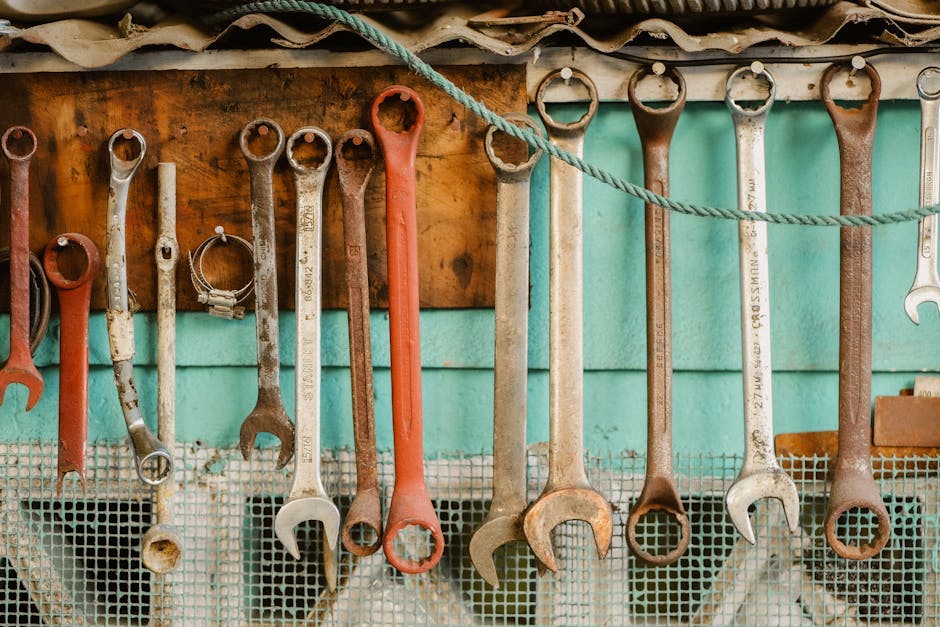
Photo by Luis Quintero on Pexels
Was this article useful?
Related Articles
Your WordPress site loads in 8 seconds on mobile. Meanwhile, your competitor's site loads in 2...
Running a restaurant in 2026 means juggling a thousand things at once. Your WordPress site...
Your WordPress site has 47 active plugins and takes 8 seconds to load. Sound familiar? Plugin...
Your real estate website is more than just a digital business card—it's a 24/7 sales machine...
Your staff page hasn't been updated since Jessica left in 2022, and your services page still...
