
Blog
How a Well-Designed Website Can Boost Your Business's Credibility
Your website might be costing you customers right now. Not because it's broken or slow (though those hurt too), but because it looks like it was built by your nephew in 2008 and never touched again.
Here's the uncomfortable truth: people judge your business by your website in about 50 milliseconds. That's faster than you can blink. And once they've made that snap judgment, it sticks.
Let me share what actually makes the difference between a website that builds trust and one that sends potential customers running to your competitors.
The Psychology Behind First Impressions
Stanford researchers found that 75% of people judge a company's credibility based purely on website design. Not your testimonials. Not your "About Us" page. Just how your site looks at first glance.
Think about it. When you land on a website with pixelated images, broken layouts, or Comic Sans font, what's your immediate reaction? You probably hit the back button before reading a single word.
Your potential customers do the exact same thing.
What Actually Makes a Website Look Credible
Professional design isn't about fancy animations or trendy gradients. It's about getting the fundamentals right.
Visual Hierarchy That Makes Sense
Ever land on a website and have no idea where to look first? That's failed visual hierarchy. Your most important information should be impossible to miss. Your call-to-action should stand out like a red jacket in a sea of gray suits.
Good hierarchy guides visitors through your content naturally. They shouldn't have to hunt for your phone number or wonder what you actually do.
Typography That Doesn't Make Eyes Bleed
Here's a simple test: can your grandmother read your website without squinting? Font size matters more than font choice. Aim for at least 16px for body text. Yes, it feels huge. No, it's not too big.
Stick to two fonts maximum. One for headlines, one for everything else. And please, leave Papyrus in 2005 where it belongs.
Colors That Work Together
You don't need a design degree to pick good colors. You just need contrast. Black text on white background is boring but readable. Light gray text on slightly lighter gray background is "modern" but useless.
Your brand colors are fine for headers and buttons. But when it comes to actual content, readability beats branding every time.
The Mobile Problem You Can't Ignore
Over 60% of web traffic in Canada now comes from mobile devices. If your site looks great on desktop but turns into a jumbled mess on phones, you're literally turning away more than half your potential customers.
Mobile design isn't just about shrinking everything down. It's about rethinking the entire experience. What works with a mouse and 27-inch monitor fails miserably with thumbs on a 6-inch screen. For a deeper dive into mobile-specific considerations, check out our guide on The Importance of Responsive Design in a Mobile-First World.
Trust Signals That Actually Work
You've probably heard you need testimonials and trust badges. True, but most people use them wrong.
Social Proof Done Right
A wall of generic testimonials saying "Great service! 5 stars!" means nothing. One detailed case study showing exactly how you solved a specific problem carries more weight than fifty vague compliments.
Include real names, real photos, real companies. "J. Smith" isn't fooling anyone. "Jennifer Smith, Owner of Smith's Bakery in Winnipeg" builds actual trust.
Security Signals Matter More Than Ever
That little padlock in the browser bar? Non-negotiable in 2026. An SSL certificate is table stakes. Without it, Chrome literally warns people away from your site.
But security goes deeper than SSL. If you're handling any customer data (and you probably are), you need a clear privacy policy that actually complies with PIPEDA. Not sure what that means for your site? Our article on How to Comply with PIPEDA breaks down the requirements for Canadian businesses.
The Speed Factor Everyone Ignores
A beautiful website that takes 10 seconds to load is a beautiful failure. Google found that 53% of mobile users abandon sites that take over 3 seconds to load.
Three seconds. That's all you get.
The biggest culprits? Massive image files and bloated WordPress themes packed with features you'll never use. That 5MB hero image might look stunning, but it's costing you customers.
Quick Wins for Faster Loading
Compress your images. A good rule: no image should be over 200KB unless it's absolutely critical. Tools like TinyPNG can cut file sizes by 70% with no visible quality loss.
Choose quality hosting over cheap hosting. Those $2/month plans? They're overloading servers with thousands of sites. When your neighbor's site gets popular, yours slows to a crawl. Proper cloud hosting with NVMe SSDs costs a bit more but actually delivers when it matters.
If you're running WordPress, optimization gets even more critical. Every plugin adds weight. Every slider adds seconds. For specific WordPress speed tips, see our guide on Mobile Speed Optimization for WordPress Sites.
Content That Builds Credibility
Design gets people in the door. Content keeps them there.
Write Like a Human
Corporate word salad kills credibility faster than Comic Sans. "We leverage synergies to provide best-in-class solutions" tells visitors nothing except that you hired a bad copywriter.
Write like you talk. Use "you" and "we." Explain what you do in terms a 10-year-old would understand. If your mom doesn't get it, rewrite it.
Show Your Work
Don't just claim you're experts. Prove it. Case studies, portfolio pieces, detailed service descriptions — these build credibility through demonstration, not declaration.
A plumber who shows before/after photos of actual jobs beats one who just lists "25 years experience." A web designer with a portfolio beats one with a list of skills.
The Local Advantage
Canadian businesses have unique opportunities to build trust through local signals. A .ca domain immediately tells visitors you're Canadian. Local phone numbers (not 1-800 numbers) suggest you're accessible.
Mentioning your city or province in key places helps too. "Proudly serving Toronto since 2010" beats "Serving clients worldwide" for local credibility.
For e-commerce sites, showing prices in CAD and offering familiar payment methods like Interac makes transactions feel safer. Integration with Canada Post for shipping calculations adds another layer of local trust.
Common Credibility Killers
Some things destroy trust instantly, no matter how good the rest of your site looks.
The Outdated Copyright
It's 2026. If your footer says "Copyright 2019," visitors wonder if you're even still in business. Set up automatic year updates or put a reminder in your calendar.
Broken Anything
Broken links, missing images, forms that don't submit — each one chips away at credibility. A monthly check takes 30 minutes and saves countless lost customers.
Stock Photos of Fake People
We all recognize "businesswoman laughing at salad" and her friend "diverse team high-fiving in conference room." Real photos of your actual team and workspace, even if they're not perfect, build more trust than any stock photo.
The Maintenance Reality
Here's what nobody tells you about web credibility: it's not a one-time thing. A site that looked professional in 2020 looks dated now. Design trends change. Technology advances. What worked yesterday might actively hurt you tomorrow.
Outdated WordPress sites face particular risks. Old plugins become security holes. Hackers specifically target sites running old versions. One successful breach can destroy years of reputation building. Regular maintenance isn't optional — it's credibility insurance.
When Good Design Isn't Enough
Sometimes the best design can't save a fundamentally flawed business model. A beautiful website selling a product nobody wants is just a beautiful failure.
Design amplifies your business strengths. It doesn't create them. Make sure you have something worth amplifying first.
The Investment Question
Professional web design costs money. Good web design costs more. The question isn't whether you can afford it — it's whether you can afford not to do it.
Calculate how many customers you need to break even on a redesign. If a $5,000 website brings in just one new client per month, and your average client value is $500, you've paid for it in 10 months. Everything after is profit.
The math usually works out better than you think.
Making It Happen
Start with an honest assessment. Open your website on your phone. Show it to someone who's never seen it before. Watch their face. Their immediate reaction tells you everything.
If they look confused, you have a usability problem. If they look unimpressed, you have a credibility problem. If they immediately understand what you do and how to contact you, you're on the right track.
Fix the biggest problems first. Usually that's mobile responsiveness or page speed. Then work on trust signals. Finally, polish the design details.
Remember: your website is often the first (and sometimes only) impression potential customers get of your business. In a world where everyone judges books by their covers, make sure yours is worth picking up.
Need help evaluating your current site? Sometimes an outside perspective reveals issues you've gone blind to. Reach out for an honest assessment of where your site stands and what would make the biggest impact on your credibility.
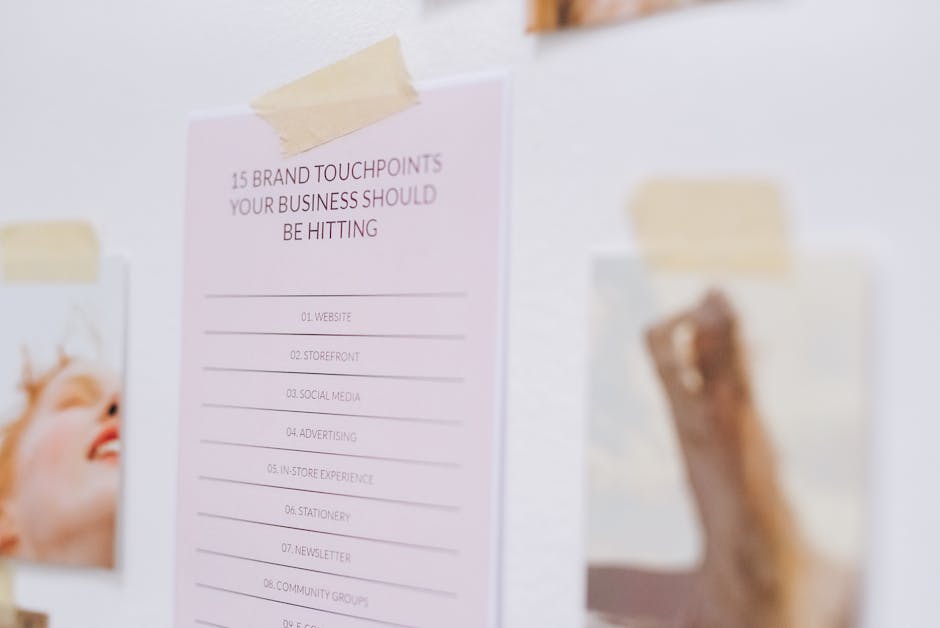
Photo by Leeloo The First on Pexels
This article was written with the help of AI and reviewed by the Ambrite team. Pricing, features, and technical details may change — always verify with official sources before making decisions.
Was this article useful?
Related Articles
Your website looks perfect on your laptop. Then you check it on your phone and everything's a...
Remember when parallax scrolling was the coolest thing on the web? Yeah, that was about eight...
Your website loads in 0.8 seconds instead of 3 seconds, and suddenly your bounce rate drops by...
That beautiful website you spent months perfecting? It's driving customers away. Not because of...
Choosing between WordPress and custom-coded websites feels like picking between a reliable...
