
Blog
Why Restaurant Websites Need Speed Optimization
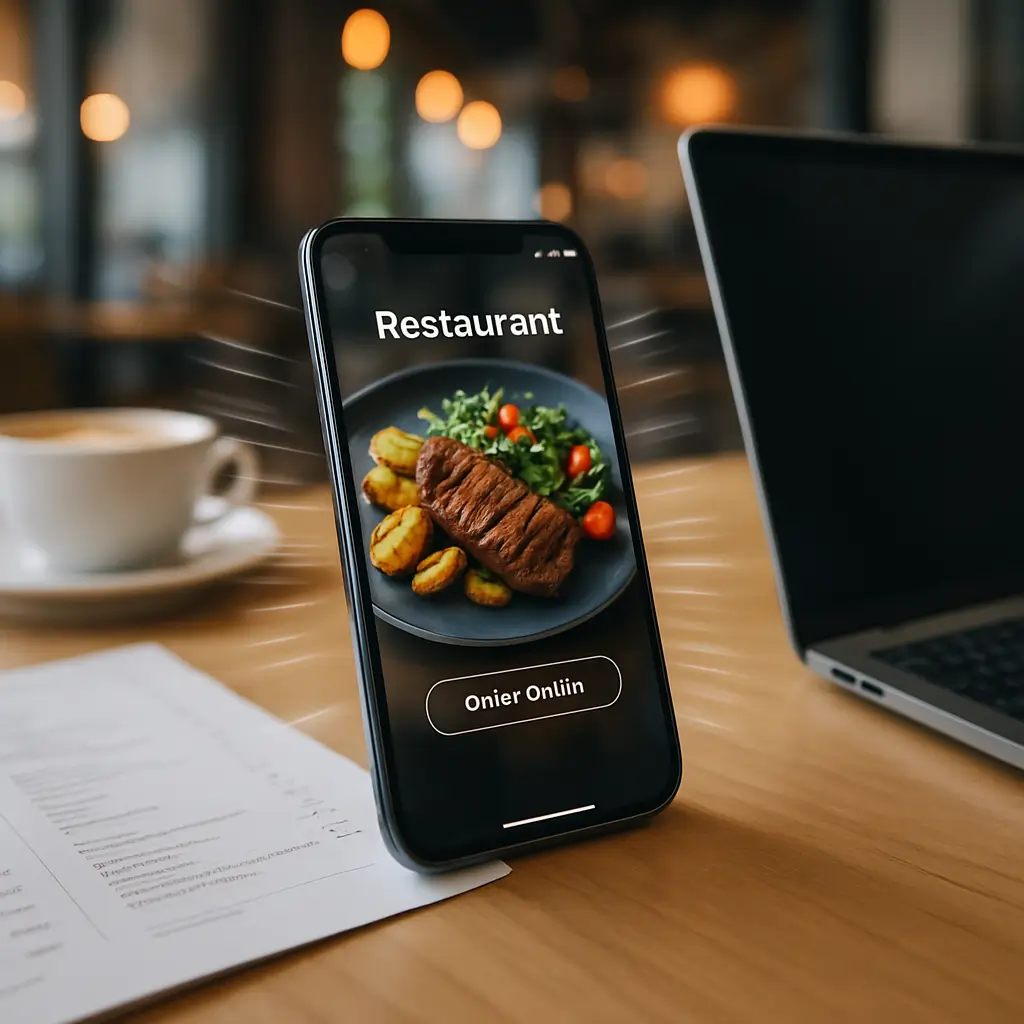
A slow restaurant website loses hungry customers before they ever see your menu.
That sounds harsh, but it is true. When someone is standing downtown, sitting in a car, or scrolling on their phone with a group asking “where should we eat?”, they are not going to wait patiently for a heavy website to load.
They want three things fast:
- Your menu
- Your hours
- A way to order, reserve, call, or get directions
If those things take too long to appear, they often go back to Google and choose another restaurant. Speed optimization is not just a technical improvement. For restaurants, it directly affects orders, reservations, walk-ins, and trust.
Why speed matters so much for restaurant websites
Restaurant visitors are usually high-intent visitors. They are not casually browsing for fun. They are trying to make a decision right now.
A slow site gets in the way of that decision.
Think about common restaurant website visits:
- Someone checks your menu before calling for takeout.
- A tourist looks for directions while walking nearby.
- A family compares dinner options on mobile.
- A customer tries to place an online order during the lunch rush.
- A couple checks reservation availability before choosing where to go.
In all of those cases, speed matters more than fancy animation. A beautiful homepage video does not help if the menu takes ten seconds to appear on a mobile connection.
Restaurant websites also tend to become slow over time. Menu PDFs get uploaded without compression. Food photos are added at huge file sizes. Reservation plugins, popups, review widgets, social feeds, and online ordering scripts pile up.
None of those things are bad on their own. The problem is when everything loads at once, on every page, for every visitor.
The biggest speed problems on restaurant websites
Oversized food photos
Good photography sells food. Badly optimized photography slows down the site.
This is one of the most common issues we see on restaurant websites. A staff member uploads full-size photos straight from a phone or camera, then WordPress displays them much smaller on the page. The visitor still has to download the oversized file, even though it appears as a small image.
Actionable fixes:
- Resize images before uploading when possible.
- Use modern image formats when your setup supports them.
- Compress images with a reputable image optimization plugin or service.
- Avoid uploading ten nearly identical photos to the homepage slider.
- Use fewer, stronger images instead of large galleries everywhere.
If your site has a gallery-heavy menu or event section, review those pages first. They are often the slowest pages on the site.
Tip: Your homepage does not need to show every dish you serve. Use a few high-quality, optimized photos and link visitors to the full menu.
PDF menus that are too large
PDF menus are common, especially for restaurants that already have printed menus. The problem is that PDF files are often designed for print, not web use.
A print-ready PDF can be much larger than necessary. On mobile, it may also be awkward to pinch, zoom, and scroll.
A better approach is usually to have an HTML menu page on your website, with a PDF available as a secondary option if needed. An HTML menu loads faster, is easier to update, and gives Google more useful content to read.
If you do keep a PDF menu, compress it before uploading and make sure the file name is clear. For example, use a descriptive name instead of a random export name from design software.
Too many plugins
Restaurant WordPress sites often use plugins for menus, reservations, gift cards, events, reviews, popups, online ordering, SEO, analytics, security, caching, and forms.
Some plugins are necessary. Some are not. The danger is plugin bloat: too many plugins loading scripts, styles, and database queries even when they are not needed.
Start by asking:
- Do we still use this plugin?
- Does this plugin load on every page?
- Could one plugin replace two or three smaller ones?
- Is the plugin still maintained?
- Does it duplicate something our theme or host already provides?
For a restaurant-specific plugin discussion, see Best WordPress Plugins for Restaurants.
Do not delete plugins randomly on a live site, especially if they control reservations, ordering, forms, menus, or payments. Test first, ideally on a staging copy.
Slow hosting
Hosting has a direct impact on how quickly your site responds when someone visits. If the server is slow to respond, everything else starts late.
This is especially noticeable during busy meal times. If many people are checking your menu, placing orders, or viewing your reservation page at once, cheap overloaded hosting can struggle.
Restaurant owners often think, “It’s just a small website, hosting shouldn’t matter.” But if that small website handles online ordering, bookings, gift cards, or catering requests, it is part of your revenue system.
Ambrite’s Canadian cloud web hosting uses LiteSpeed, NVMe SSD storage, and Imunify360 security protection. Hosting starts at $7.99/month CAD, which makes a performance-focused setup realistic even for small restaurants.
Unoptimized booking and ordering tools
Reservation and ordering systems are useful, but they can also slow down your site if they are poorly configured or loaded everywhere.
For example, a booking widget may be needed on the reservations page, but not on every blog post or menu page. An online ordering script may be essential on the order page, but unnecessary on your catering information page.
Where possible, load heavy tools only where they are needed.
If online ordering is a major part of your business, speed and uptime matter even more. A slow or broken order flow can cost real sales during peak hours. Related reading: How Online Ordering Downtime Costs You Sales.
Mobile speed is the priority
Most restaurant searches happen on phones. That means your website should be judged first on mobile performance, not how it looks on a large office monitor.
A restaurant homepage may look beautiful on desktop and still be frustrating on mobile if:
- The hero image is huge.
- The navigation menu is hard to tap.
- The phone number is not clickable.
- The menu is buried under multiple clicks.
- A popup covers the screen.
- The reservation button loads too slowly.
Mobile optimization is not only about layout. It is also about speed, clarity, and reducing friction.
If you want a deeper restaurant-specific mobile checklist, read Mobile Optimization for Restaurant Websites.
What to optimize first
You do not need to fix everything at once. Start with the pages that affect revenue most directly.
1. Homepage
Your homepage should quickly answer the basics: what kind of restaurant you are, where you are located, when you are open, and what action the visitor should take next.
Common homepage improvements:
- Compress the main hero image.
- Remove unnecessary sliders.
- Make the menu, order, reserve, call, and directions buttons easy to find.
- Limit embedded social feeds or review widgets.
- Remove outdated promotions and old event banners.
Sliders are worth calling out. Many restaurant sites use large rotating image sliders, but visitors often do not wait for slide two or three. A single strong image with clear buttons usually performs better and loads faster.
2. Menu page
The menu page is often the most visited page on a restaurant website. It should be fast, readable, and easy to update.
Avoid making visitors download a huge PDF just to see your lunch specials. Use text-based menu sections where practical, and keep images controlled.
Also make sure prices, dietary notes, and item availability are current. A fast menu that shows outdated information still creates frustration.
3. Online ordering page
If you accept online orders, this page deserves extra attention. Test it on a phone, using mobile data, not just office Wi-Fi.
Look for friction:
- Does the page take too long to become usable?
- Can customers easily add items to the cart?
- Does the checkout work smoothly?
- Are payment options clear?
- Do confirmation emails arrive properly?
If you use WooCommerce or another ordering system, be careful with aggressive caching on cart, checkout, and account-related pages. Caching can improve speed, but the wrong settings may cause cart or checkout problems.
4. Reservation page
Your reservation page should load quickly and be easy to use. If the booking form depends on a third-party widget, test it regularly.
Do not assume it works just because the page loads. Complete a test booking occasionally, especially after plugin updates, theme changes, or major WordPress updates.
Also check whether the reservation tool slows down the entire site. If it does, consider loading it only on the reservation page.
5. Contact and location page
Customers often visit your contact page when they are already close to making a decision. Keep it simple.
Include:
- Clickable phone number
- Address
- Hours
- Parking notes if useful
- Map or directions link
- Contact or catering form if needed
Embedded maps can slow pages down, so use them thoughtfully. If the page is already heavy, a simple directions button may be faster than loading a large map automatically.
Caching helps, but it is not magic
Caching stores ready-made versions of pages so your site does not have to rebuild everything from scratch for every visitor. For restaurant websites, caching can make a big difference, especially for pages like your homepage, menu, gallery, and contact page.
But caching needs care.
You usually do not want aggressive caching on pages that change per visitor, such as carts, checkout pages, account pages, or certain booking flows. If the wrong page is cached, customers may see stale information or run into order problems.
LiteSpeed Cache is commonly used on LiteSpeed servers and can be very effective when configured properly. Other caching plugins can also work, depending on your hosting environment. Always check the official plugin documentation for current setup recommendations because settings and features can change.
If you are new to the concept, start with WordPress Caching Explained: A Beginner's Guide.
Core Web Vitals and restaurant SEO
Google uses page experience signals, including Core Web Vitals, as part of how it evaluates websites. Speed is not the only thing that affects rankings, but it can help or hurt your local visibility.
For restaurants, local search is highly competitive. You may be competing with nearby restaurants, delivery platforms, review sites, and map results.
Speed helps because it improves the visitor experience after someone clicks. If people quickly leave because the site is slow or hard to use, that is not good for business.
That said, do not obsess over getting a perfect score in every testing tool. A fast, usable website that helps people order, reserve, call, and find you is more valuable than a perfect lab score that required removing useful features.
What not to do when speeding up a restaurant website
Speed optimization can backfire when it is done carelessly. Here are a few things to avoid.
Do not remove useful features just to improve a score
If your reservation system drives bookings, do not remove it just because it adds weight to the page. Instead, make sure it loads only where needed and does not block the rest of the site.
Do not optimize the desktop version only
Your desktop site may already be fine. The real issue is often mobile visitors on slower connections.
Test from a phone. Better yet, ask someone who is not involved with the website to find your menu, call the restaurant, and make a reservation. Watch where they hesitate.
Do not minify or combine files without testing
Minifying CSS and JavaScript can help, but it can also break layouts, menus, ordering tools, or booking widgets if done too aggressively.
Make one change at a time, test the important pages, and keep a backup. If your site takes online orders, use a staging site when possible.
Do not lazy load everything
Lazy loading delays images until they are needed. This is usually helpful for images lower down the page.
But lazy loading the main hero image can sometimes make the first visible part of the page feel slower. Test carefully instead of turning every setting on at once.
Do not ignore security while improving speed
Removing security tools just to make a site faster is risky. Restaurant websites can be targeted too, especially if they use WordPress, online ordering, forms, or gift card systems.
A better approach is to use efficient security tools and quality hosting. Ambrite hosting includes Imunify360, and our WordPress maintenance plans include practical security and update support.
A practical speed checklist for restaurant owners
If you want a simple starting point, work through this list:
- Test your homepage, menu page, reservation page, and ordering page on mobile.
- Compress large food photos.
- Replace oversized PDF menus with web-friendly menu pages where possible.
- Remove plugins you no longer use, after testing safely.
- Check whether reservation or ordering scripts load on pages where they are not needed.
- Use caching, but exclude cart, checkout, and dynamic booking pages when appropriate.
- Review your hosting if server response time is slow.
- Keep WordPress, themes, and plugins updated.
- Test forms, booking tools, and online ordering after updates.
- Back up the site before major changes.
You do not need to become a developer to handle the basics. But you do need a routine, especially if staff update menus, promotions, events, or photos regularly.
When a redesign makes more sense than small fixes
Sometimes a restaurant website is slow because it has a few fixable issues. Other times, the whole site is built on an old theme, overloaded page builder, outdated plugins, and years of patched-together changes.
In that case, paying for repeated small fixes may not be the best use of money.
A redesign may make more sense if:
- The site is difficult for staff to update.
- The mobile experience is poor.
- The theme is outdated or no longer supported.
- The site relies on many plugins for basic layout.
- Speed issues keep coming back after cleanup.
- Your branding, menu structure, or ordering process has changed significantly.
A good restaurant redesign should not just look better. It should make the site easier to maintain, faster to load, and simpler for customers to use.
How Ambrite helps Canadian restaurants with speed
Ambrite works with small businesses across Canada, including restaurants that depend on their website for menus, reservations, catering leads, and online orders.
Our WordPress maintenance plans start at $49/month CAD and can help with updates, monitoring, backups, security, and ongoing site care. That matters because speed is not a one-time task. New images, plugins, promotions, and menu changes can slowly drag performance down again.
We also provide Canadian cloud hosting with LiteSpeed, NVMe SSD storage, and Imunify360 protection. For restaurants serving Canadian customers, Canadian hosting can also be a sensible choice for performance, support, and data residency preferences.
If your restaurant website feels slow, start with the pages that directly affect revenue: menu, reservations, online ordering, and contact. If you are not sure where the slowdown is coming from, contact Ambrite and we can help review the practical next steps.
This article was written with the help of AI and reviewed by Ambrite. Pricing, features, and technical details may change. Always verify with official sources before making decisions.
Was this article useful?
Related Articles
Your WordPress site loads in 8 seconds on mobile. Meanwhile, your competitor's site loads in 2...
Running a restaurant in 2026 means juggling a thousand things at once. Your WordPress site...
Your WordPress site has 47 active plugins and takes 8 seconds to load. Sound familiar? Plugin...
Your real estate website is more than just a digital business card: it's a 24/7 sales machine...
Your staff page hasn't been updated since Jessica left in 2022, and your services page still...
