
Blog
How Online Ordering Downtime Costs You Sales
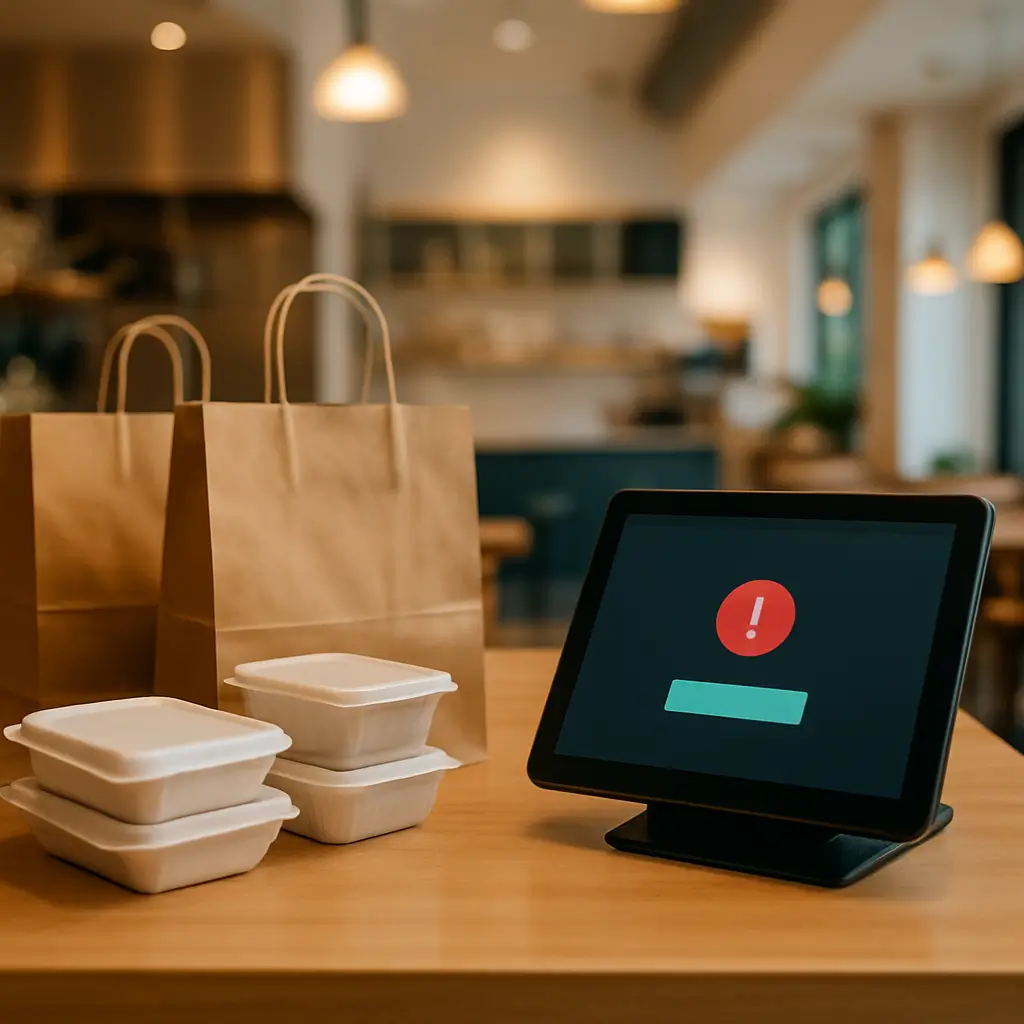
A broken online ordering system does not just “look bad”. It quietly turns hungry customers into lost revenue.
If someone tries to place an order and your checkout fails, most people will not email you, troubleshoot it, or try again later. They will order from another restaurant, use a delivery app, call a competitor, or simply give up.
For Canadian restaurants, cafés, bakeries, meal prep companies, and food retailers, online ordering downtime can be especially painful because it often happens during your busiest windows: lunch, dinner, weekends, holidays, or big local events.
This article explains how ordering downtime costs you sales, where the hidden costs show up, and what you can do to reduce the risk.
What Counts as Online Ordering Downtime?
Downtime does not always mean your entire website is offline.
Your homepage might load perfectly, while your actual ordering flow is broken. From the customer’s point of view, that is still downtime.
Common examples include:
- The menu loads, but “Add to Cart” does nothing
- The cart works, but checkout shows an error
- Payment fails through Moneris, Stripe, Square, PayPal, or another gateway
- Pickup times disappear or show the wrong availability
- Delivery zones or postal codes reject valid customers
- Taxes, tips, coupons, or fees calculate incorrectly
- Order confirmation emails are not delivered
- The site works on desktop but fails on mobile
- The site is so slow that customers abandon before ordering
That last one matters. If a hungry customer is standing in a parking lot trying to order on their phone, a slow checkout can be almost as bad as a broken one.
If speed is part of the problem, Ambrite has a related guide on How to Speed Up a Slow WooCommerce Store.
The Obvious Cost: Lost Orders
The simplest cost is the order that never happens.
If your average online order is $42 and your system is down for an hour during dinner rush, losing even 10 orders means $420 in missed revenue. If it happens on a Friday night, during a promotion, or before a holiday, the number can climb quickly.
You can estimate your own downtime cost with a basic formula:
Average order value × expected orders per hour × hours affected = estimated direct lost sales
For example:
- Average order value: $38
- Typical Friday dinner online orders: 18 per hour
- Ordering problem lasted: 2 hours
That is $1,368 in estimated direct lost sales.
This is not a perfect calculation, because some customers may call instead. But many will not. The easier your competitors make ordering, the less patience customers have for broken checkout screens.
The Less Obvious Cost: Customers Who Never Come Back
A failed order creates doubt.
Customers start wondering: “Did my payment go through?” “Will the restaurant receive my order?” “Is this site safe?” “Should I just use an app instead?”
Even if they liked your food before, a bad ordering experience can change their habit. That is especially risky for businesses that rely on repeat orders, such as:
- Restaurants with weekly regulars
- Cafés offering pre-orders
- Bakeries taking custom cake or catering requests
- Meal prep services with recurring customers
- Specialty grocery or food shops selling online
One failed checkout might not lose someone forever. But repeated issues teach customers not to trust your website.
Downtime Pushes Customers Toward Third-Party Apps
Many restaurants prefer direct online orders because they keep more control over the customer relationship.
When your direct ordering system is down, customers often switch to a third-party app if you are listed there. That may save the immediate order, but it can also increase your costs and weaken the habit of ordering direct.
There is a practical tradeoff here.
Delivery apps can be useful as a backup channel and discovery tool. But if customers only use them because your own site is unreliable, you are paying extra for a problem that maintenance could often reduce.
Your goal does not have to be “never use apps.” A more realistic goal is: make your own ordering system reliable enough that customers choose it first.
Ad Spend Gets Wasted During Ordering Problems
If you run Google Ads, Meta ads, local promotions, influencer campaigns, or email offers, ordering downtime wastes that traffic.
Imagine paying to promote a lunch special, then sending people to a checkout that fails. The campaign report may show clicks, but your till does not show orders.
During an outage, paid traffic can make the problem worse because you are actively sending more people into a broken experience.
If your ordering system goes down, one of the first business actions should be to pause or reduce active campaigns that send traffic directly to the broken page. Do not wait until the end of the day to check.
Staff Time Gets Burned Too
Online ordering downtime does not only affect customers. It creates chaos for staff.
Common side effects include:
- More phone calls during already busy periods
- Customers asking if their failed payment went through
- Duplicate orders when people retry checkout
- Manual order entry mistakes
- Refund requests
- Staff needing to explain technical issues they did not cause
This is where downtime becomes operational, not just technical.
If your team is already stretched during dinner rush, a broken ordering system can slow kitchen flow, front counter service, and customer communication all at once.
Payment Failures Are Especially Expensive
A payment error is one of the worst types of online ordering downtime because it happens at the very end of the sale.
The customer has already chosen items, entered details, selected a pickup or delivery time, and decided to buy. Then the payment step fails.
At that point, frustration is high.
Canadian businesses often use payment providers such as Moneris, Stripe, Square, PayPal, or other gateways. The exact setup steps and requirements vary, so you should always check the official provider documentation for current configuration details.
If you use Moneris with WooCommerce, Ambrite has a separate guide on How to Set Up Moneris Payment Processing on Your Canadian WooCommerce Store.
Payment issues can come from several places:
- An expired or misconfigured payment plugin connection
- A plugin update that changes checkout behaviour
- A gateway-side outage or maintenance window
- SSL certificate problems
- Caching rules interfering with checkout pages
- Security tools blocking legitimate payment callbacks
Because payment problems directly affect revenue, they should be treated as urgent.
WooCommerce Checkout Breakage Is Common After Changes
WooCommerce is powerful, but it is also made of moving parts.
Your ordering setup may include WooCommerce itself, a theme, payment gateway plugins, delivery or pickup plugins, tax tools, coupon plugins, email tools, analytics scripts, caching, and security software.
One update can affect another piece.
That does not mean you should avoid updates forever. Skipping updates creates security and compatibility problems. The safer approach is to test important changes before applying them to the live site.
For more detail, see Why Your WooCommerce Checkout Keeps Breaking.
Canadian Tax, Pickup, and Delivery Rules Add Complexity
Canadian online ordering sites often need to handle more than just “product plus payment.”
Depending on your business, you may need to account for:
- GST/HST, PST, or QST rules
- Pickup versus delivery tax handling
- Delivery zones by postal code
- Minimum order amounts
- Tip settings
- Alcohol-related restrictions, where applicable
- Bilingual content needs, especially for businesses serving Quebec customers
- Customer privacy obligations under Canadian privacy law
These settings are not “set it and forget it.” They should be reviewed when you change your menu, service area, payment provider, checkout plugin, or business model.
If your site collects customer names, phone numbers, addresses, order history, or payment-related information, privacy also matters. You do not need to panic, but you should understand what data your site collects and how it is protected.
How to Calculate Your Real Downtime Cost
Direct lost orders are only part of the picture.
Use this checklist to estimate the broader cost of an outage:
- Direct lost sales: Average order value × expected orders during the outage.
- Refunds or duplicate charges: Include time spent checking and resolving payment questions.
- Staff time: Estimate how many hours your team spent handling calls, complaints, or manual orders.
- Ad waste: Count paid clicks sent to the broken ordering page.
- Discounts or goodwill credits: Include coupons or refunds offered to upset customers.
- Lost repeat business: Harder to measure, but worth considering if regulars were affected.
You do not need a perfect accounting report. The point is to stop thinking of downtime as “a website issue” and start seeing it as a sales, operations, and customer trust issue.
Why Downtime Often Goes Unnoticed Too Long
Many owners discover ordering problems from customers, not from their own systems.
That usually means the problem has already cost money.
Common warning signs include:
- Online orders suddenly drop, but website traffic looks normal
- Customers call and say checkout is not working
- You receive abandoned cart notifications but few completed orders
- Payment provider logs show failed transactions
- Staff notice fewer online tickets printing
- Order confirmation emails stop arriving
Do not rely only on “the website looks fine.” The ordering process needs its own checks.
What You Should Monitor
For an ordering site, basic uptime monitoring is useful, but it is not enough.
You want to know whether the important customer actions still work.
Monitor and test:
- Homepage availability
- Menu page loading
- Cart functionality
- Checkout page loading
- Payment gateway connection
- Pickup and delivery time selection
- Order notification emails
- Admin order visibility
- Mobile checkout experience
Automated uptime tools can tell you when a page is unreachable. Manual or scripted checkout testing can catch deeper problems.
Ambrite explains the monitoring side in more detail here: WordPress Uptime Monitoring Explained.
Practical Ways to Reduce Ordering Downtime
1. Test the Ordering Flow Before Busy Periods
Do a quick test order before your busiest windows.
You do not always need to process a real payment, depending on your setup and gateway options. But you should confirm that products can be added to cart, checkout loads, pickup or delivery options appear, and notifications are working.
For restaurants, a good rhythm is to test before lunch rush, before dinner rush, and after major website changes.
2. Use a Staging Site for Updates
Plugin and theme updates should not be treated casually on an ordering site.
A staging site lets you test updates away from the live website. You can check checkout, payments, pickup times, coupons, and emails before customers are affected.
This is especially helpful for WooCommerce sites with multiple plugins. The more plugins involved in checkout, the more valuable staging becomes.
3. Keep Backups Current
If an update breaks ordering, a recent backup can reduce recovery time.
For active WooCommerce sites, backups need more care than a simple brochure website. Orders, customer records, and product changes can happen throughout the day.
Make sure your backup approach matches how often your site changes. A backup from several days ago may not be good enough for a busy ordering site.
4. Be Careful With Caching on Checkout Pages
Caching can make WordPress much faster, but checkout pages need special handling.
Cart, checkout, account, and payment-related pages are typically excluded from aggressive caching because they show customer-specific information.
If caching is configured badly, customers may see stale cart data, broken totals, or strange checkout behaviour.
LiteSpeed caching can be excellent when configured properly. Ambrite’s cloud hosting uses LiteSpeed and NVMe SSD storage, but the settings still need to match the site’s ordering flow.
5. Watch Plugin Bloat
Every plugin adds another possible maintenance point.
That does not mean plugins are bad. It means each plugin should earn its place.
If you have three plugins affecting checkout, two coupon tools, multiple analytics scripts, and an old delivery plugin you no longer use, your risk goes up.
Remove what you do not need, and avoid installing new plugins during busy seasons unless there is a clear reason.
6. Keep Security Tight
A hacked ordering site can cause downtime, payment distrust, spam redirects, fake forms, or data exposure.
Use strong admin passwords, two-factor authentication, reputable plugins, SSL, malware scanning, and least-privilege user access.
Security is not separate from sales. If customers do not trust the checkout, they do not order.
What to Do When Ordering Goes Down
When ordering breaks, the first goal is not to find someone to blame. The first goal is to stop the bleeding.
Use a simple response plan:
- Confirm the issue: Test the ordering flow from a customer device, preferably on mobile data as well as Wi-Fi.
- Check recent changes: Look for plugin updates, theme changes, menu edits, gateway changes, or hosting events.
- Pause paid campaigns: Stop sending paid traffic to a broken checkout.
- Post a temporary notice: Tell customers to call, email, or use a backup ordering method if available.
- Alert staff: Make sure front-of-house staff know what to tell customers.
- Check payments: Review whether customers were charged without orders being created.
- Restore or roll back if needed: If a recent update caused the issue, a rollback may be faster than troubleshooting live.
- Document the cause: After the rush, write down what happened so it can be prevented next time.
A prepared response saves time because nobody is inventing the plan during dinner rush.
When Not to Overbuild
Not every small business needs enterprise-level redundancy, custom infrastructure, and expensive monitoring stacks.
If you receive a handful of online orders per week, your best investment may be basic maintenance, backups, security, and simple checkout testing.
If online ordering is a major revenue channel, the calculation changes. A restaurant doing a large share of sales through its website should treat ordering uptime as seriously as a working POS terminal or kitchen printer.
The right level of protection depends on how much money the ordering system handles and how painful an outage would be.
Where Hosting Fits In
Good hosting cannot fix every plugin conflict, but poor hosting can make everything worse.
Slow server response times, overloaded shared servers, weak security, and limited resources can create checkout delays or full outages during traffic spikes.
For ordering sites, look for hosting that supports fast PHP performance, modern storage, reliable backups, strong malware protection, and helpful support.
Ambrite provides Canadian cloud web hosting with LiteSpeed, NVMe SSD storage, and Imunify360 protection. Hosting starts at $7.99/month CAD, and you can learn more here: Ambrite Cloud Web Hosting.
Where Maintenance Fits In
Hosting keeps the server side healthy. Maintenance keeps WordPress, WooCommerce, plugins, backups, monitoring, and security under control.
For an online ordering site, maintenance should include more than clicking “update” in WordPress.
A useful maintenance process should consider:
- Safe WordPress core, theme, and plugin updates
- Staging tests for higher-risk changes
- Backup checks
- Security monitoring
- Uptime monitoring
- Checkout testing after important updates
- Performance reviews
- Fixing small issues before they become outages
Ambrite’s WordPress maintenance plans start at $49/month CAD. If your ordering system is revenue-critical, it is worth choosing a plan that matches that risk, not just the cheapest option available.
You can review Ambrite’s maintenance services here: WordPress Maintenance & Security.
A Simple Weekly Ordering Checklist
If you manage your own site, use this weekly checklist:
- Place a test order or run through checkout as far as safely possible
- Confirm pickup and delivery times are correct
- Check that taxes, tips, and fees look right
- Confirm order notification emails arrive
- Check payment gateway dashboard for failed transactions
- Review abandoned carts for unusual spikes
- Check your mobile ordering experience
- Review recent plugin updates before applying them
- Confirm backups are running
- Make sure staff know the backup ordering process
This does not take long once it becomes routine. The key is doing it before customers find the problem for you.
Final Takeaway
Online ordering downtime costs more than the few orders you can clearly count.
It wastes ad spend, frustrates staff, pushes customers to third-party apps, creates payment confusion, and chips away at trust. For businesses that depend on direct online orders, prevention is usually cheaper than emergency repair.
If you are not sure whether your ordering system is properly monitored, backed up, and maintained, Ambrite can take a look and give you practical next steps. Contact us here: Contact Ambrite.
This article was written with the help of AI and reviewed by Ambrite. Pricing, features, and technical details may change. Always verify with official sources before making decisions.
Was this article useful?
Related Articles
Your WordPress site loads in 8 seconds on mobile. Meanwhile, your competitor's site loads in 2...
Running a restaurant in 2026 means juggling a thousand things at once. Your WordPress site...
Your WordPress site has 47 active plugins and takes 8 seconds to load. Sound familiar? Plugin...
Your real estate website is more than just a digital business card: it's a 24/7 sales machine...
Your staff page hasn't been updated since Jessica left in 2022, and your services page still...
