
Blog
The Real Cost of WordPress Downtime
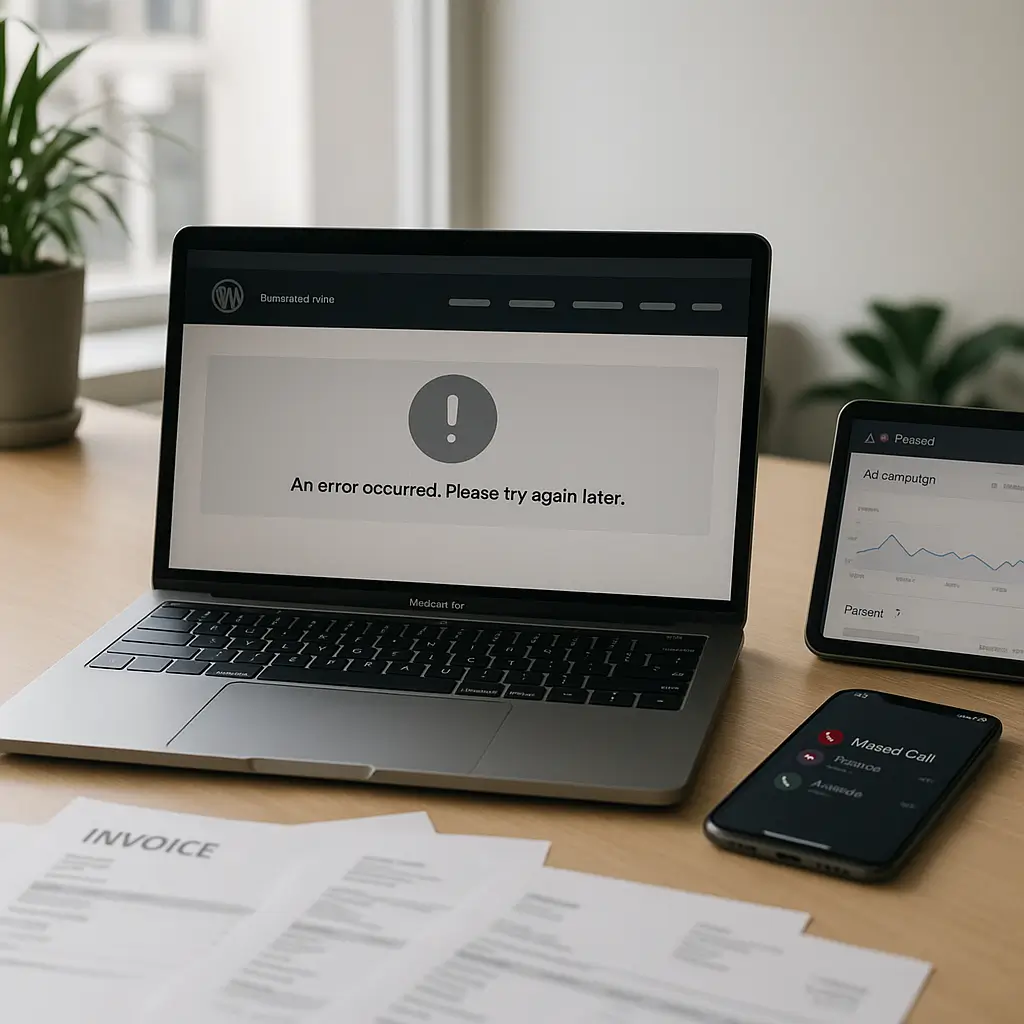
Your WordPress site going down for one afternoon can cost more than a full year of maintenance.
That sounds dramatic until you add up the missed calls, lost form submissions, failed checkouts, wasted ad spend, emergency developer time, and the awkward emails to customers who could not book, buy, or contact you.
For many Canadian small businesses, WordPress downtime is not just a technical problem. It is a sales problem, a trust problem, and sometimes a compliance problem too.
What “downtime” actually means
When people hear “website downtime,” they usually picture a completely blank site or a browser error.
That is one type of downtime, but it is not the only one. Your WordPress site can be “up” technically while still failing at the thing it is supposed to do.
Common forms of downtime include:
- Your entire website is offline.
- Your homepage loads, but key pages show errors.
- Your contact forms submit but never deliver emails.
- Your WooCommerce checkout breaks before payment.
- Your booking calendar stops accepting appointments.
- Your site becomes so slow that visitors give up.
- Your SSL certificate fails and browsers show a security warning.
- Your site is flagged for malware and blocked by browsers or security tools.
From a business owner’s point of view, all of these create the same result: people cannot do what you need them to do.
Simple rule: if a visitor cannot call, book, buy, submit, register, or trust your website, you are experiencing business downtime even if the server is technically online.
The obvious cost: lost sales and leads
The easiest cost to understand is the revenue you miss while the site is not working.
If you run an online store, that might mean abandoned carts and failed transactions. If you run a service business, it might mean quote requests going to a competitor. If you run a clinic, law firm, restaurant, or real estate website, it might mean missed appointments, consultations, reservations, or inquiries.
Here is a simple way to estimate the cost:
- How many leads or orders does your website normally generate per day?
- What percentage of those usually become paying customers?
- What is the average value of one customer?
- How long was the site broken?
For example, suppose your website brings in four quote requests per day. One out of four usually becomes a customer. If your average customer value is $800 CAD, one full day of downtime could reasonably cost you about $800 CAD in missed opportunity.
That does not mean every outage creates a guaranteed loss. Some people will come back later. Some will call instead. But many will not.
People searching online are often ready to act now. If your site is down, slow, or broken, the next result on Google is only a tap away.
The less obvious cost: lost trust
Downtime also makes people question whether your business is reliable.
That may sound unfair, but it is how customers think. If your booking form is broken, they may wonder if your office is disorganized. If your checkout fails, they may worry their payment information is not safe. If your site shows a security warning, they may leave immediately.
This matters even more for businesses where trust is the product.
- A law firm with a broken intake form may lose a high-value client.
- A healthcare practice with a failed booking system may frustrate patients.
- A contractor with a broken quote form may lose emergency repair jobs.
- A restaurant with a failed reservation plugin may lose dinner traffic.
- A realtor with a slow or broken listing page may lose buyer interest.
We covered this in more detail for healthcare websites in How Website Downtime Affects Patient Bookings, but the same idea applies to most service businesses: downtime interrupts momentum.
When someone is ready to book, buy, or ask for help, you do not want your website to be the obstacle.
The hidden cost: paid ads that send traffic to a broken site
If you are running Google Ads, Facebook ads, Instagram ads, or any paid campaign, downtime gets expensive quickly.
You may still be paying for clicks while visitors land on a broken page. Worse, the problem may go unnoticed for hours if nobody is actively checking the site.
This is especially common after plugin updates, theme changes, checkout changes, form plugin issues, or DNS problems.
Before launching a paid campaign, test the exact landing page, form, checkout, phone number link, and thank-you page. Do it on desktop and mobile.
If your campaign runs outside business hours, make sure someone is monitoring alerts. A Friday evening issue can quietly burn through weekend ad spend before anyone notices.
The emergency repair cost
Fixing a broken WordPress site in a panic usually costs more than maintaining it properly.
Emergency work often involves:
- Diagnosing the cause under time pressure.
- Checking recent updates or plugin conflicts.
- Restoring backups.
- Cleaning malware if the outage was security-related.
- Testing forms, checkout, booking tools, and mobile layouts.
- Communicating with hosting support, plugin vendors, or payment providers.
If the site was not being backed up properly, the repair gets harder. If there is no staging site, updates are riskier. If nobody knows what changed, troubleshooting takes longer.
This is where downtime becomes more than “the website is down.” It becomes a messy investigation.
A maintenance plan does not prevent every possible issue, but it usually reduces the chance of avoidable failures. It also means there is a known process when something goes wrong. If you are unsure what should be included, see What Does a WordPress Maintenance Plan Include.
The cost of bad backups
Backups are boring until they are the only thing standing between you and a rebuild.
A backup is only useful if it is recent, complete, accessible, and restorable. Many businesses assume their site is backed up, but they have never tested a restore.
That is risky.
If your site goes down after an update, a clean backup can get you back online quickly. If your site is hacked, a known-good backup may save hours of cleanup. If your database is corrupted, a backup may preserve orders, form entries, appointments, or content.
The backup schedule should match the website.
- A brochure site may be fine with daily or less frequent backups, depending on how often it changes.
- A WooCommerce store usually needs more careful backup planning because orders and customer activity change throughout the day.
- A booking-heavy site should consider how much appointment data it can afford to lose.
- A membership or course site needs to protect user progress, registrations, and payments.
For a deeper breakdown, read WordPress Backup Guide: What You Need to Know.
The Canadian angle: privacy, payments, and customer expectations
For Canadian businesses, downtime can create problems beyond lost revenue.
If your website collects personal information through contact forms, intake forms, appointment forms, or checkout pages, you need to think about how that data is handled. That includes what happens when a system fails.
For example, if your form stops working and staff start asking customers to email sensitive information instead, that may create privacy and recordkeeping concerns. Businesses subject to Canadian privacy obligations should avoid sloppy workarounds during outages.
Payment systems matter too. Canadian WooCommerce stores using gateways such as Moneris or other providers need checkout reliability, SSL, plugin compatibility, and proper testing after updates. A checkout that fails intermittently can be harder to spot than a fully offline website.
There is also a trust factor around Canadian hosting. Some businesses prefer Canadian infrastructure for data location, support hours, latency, or procurement requirements. It will not magically prevent every outage, but choosing the right host does reduce common performance and reliability headaches.
Ambrite provides Canadian cloud web hosting with LiteSpeed, NVMe SSD storage, and Imunify360 security protection. Hosting starts at $7.99/month CAD, and you can learn more about it here: Ambrite cloud web hosting.
What usually causes WordPress downtime?
WordPress downtime is rarely random. Most outages have a preventable or manageable cause.
Plugin and theme updates
Updates are necessary, but they can break things if they are applied blindly.
A plugin update might conflict with your theme. A WooCommerce extension might change checkout behaviour. A page builder update might affect layouts. A form plugin update might change validation or email delivery.
This does not mean you should avoid updates. Skipping updates creates security risk. The better approach is to back up first, test important features, and use a staging site for higher-risk changes.
Poor-quality hosting
Cheap hosting can be fine for a tiny hobby site, but it often struggles with business websites that need speed, uptime, and support.
Common hosting-related issues include overloaded servers, slow disk performance, weak malware protection, limited resources, and poor support response times.
A faster host does not solve every WordPress issue, but it gives your site a better foundation. LiteSpeed caching, NVMe SSD storage, and proper server-level security can make a noticeable difference.
Malware and security problems
A hacked WordPress site may be taken offline by the host, blocked by browsers, redirected to spam pages, or quietly abused in the background.
Outdated plugins, weak passwords, abandoned themes, and missing security monitoring are common causes.
Security downtime is especially painful because restoring trust can take longer than restoring the website. You may need to clean files, rotate passwords, remove backdoors, scan the site, check users, review logs, and request review from security services if the site was flagged.
Expired domains or SSL certificates
This one is simple but surprisingly common.
If your domain expires, visitors cannot reliably reach your website. If SSL fails, browsers may show warnings that scare visitors away.
Use auto-renewal where appropriate, keep payment methods current, and make sure renewal notices go to an inbox someone actually checks.
Broken forms and email delivery
Sometimes the website looks fine, but inquiries are not arriving.
This is one of the most expensive silent failures. You may not notice because there is no dramatic error message. Leads simply stop.
Test your forms regularly. Submit a real test inquiry, confirm it reaches the right inbox, and check that any autoresponders work. If your business depends on forms, use a system that stores submissions in WordPress or a CRM as a backup to email delivery.
How to calculate your own downtime cost
You do not need a complicated spreadsheet. Start with a practical estimate.
- Estimate your average website leads or orders per day.
- Estimate your close rate or purchase completion rate.
- Estimate the average value of a customer, order, booking, or project.
- Multiply by the number of hours or days the site was unusable.
- Add emergency repair costs, wasted ad spend, and staff time.
Here is a simple example for a service business:
- Website generates 3 leads per day.
- One in 3 leads becomes a customer.
- Average customer value is $1,200 CAD.
- The quote form is broken for 2 days.
That could represent roughly 2 missed customers, or $2,400 CAD in potential revenue.
Again, this is not perfect accounting. It is a decision-making tool. If one preventable outage can cost thousands, then maintenance and better hosting start to look less like an expense and more like insurance.
What uptime percentages really mean
Hosting companies often talk about uptime percentages, but the math can be misleading if you do not translate it into time.
For example, 99.9% uptime still allows for roughly 43 minutes of downtime in a typical month. 99% uptime can mean several hours of downtime in a month.
Also, uptime guarantees usually refer to server availability, not whether your WordPress checkout works, your forms deliver, or your booking plugin is functioning.
That distinction matters. Your host may be online while your website is still broken because of a plugin conflict, expired license, DNS issue, malware infection, or failed update.
How to reduce downtime without overcomplicating things
You do not need an enterprise IT department to keep a small business WordPress site reliable.
You do need a few habits and systems.
Use reliable hosting
Start with hosting that matches the purpose of the site.
A business website should have good server performance, malware protection, backups, SSL support, and responsive support. If your site is slow even when nothing is broken, your risk is already higher because performance issues often hide deeper hosting or configuration problems.
Keep WordPress, themes, and plugins updated
Updates fix bugs and security issues, but they should be handled carefully.
Before updates, make sure there is a current backup. For higher-risk sites, test updates on staging first. After updates, check the pages and functions that make money: forms, checkout, booking, search, menus, mobile layouts, and payment confirmation.
Monitor the parts that matter
Basic uptime monitoring is useful, but it is not enough.
If your site depends on a contact form, test that form. If it depends on WooCommerce, test checkout. If it depends on online booking, test appointment flow. If it depends on phone calls, test click-to-call links on mobile.
A homepage ping does not tell you whether the business is receiving leads.
Use staging for risky changes
A staging site is a private copy of your website where updates and changes can be tested before they affect customers.
You do not need staging for every tiny text edit. But you should strongly consider it for WooCommerce updates, booking system changes, major plugin updates, PHP changes, theme changes, and redesign work.
Document who handles what
When the site goes down, confusion wastes time.
Know who contacts hosting support, who checks backups, who pauses ads, who posts customer updates if needed, and who approves a restore. Even a short internal note can save an hour during an outage.
When not to overpay for downtime prevention
Not every website needs the same level of protection.
If your site is a small brochure website that gets a few visits a week and does not generate leads directly, you probably do not need complex monitoring, advanced staging workflows, or expensive custom infrastructure.
Basic quality hosting, updates, backups, and occasional testing may be enough.
On the other hand, if your site processes payments, accepts bookings, collects leads, supports ads, or handles sensitive inquiries, downtime has a real business cost. That is when maintenance becomes much easier to justify.
The point is not to buy the most expensive setup. The point is to match your risk.
What Ambrite can help with
Ambrite helps Canadian small businesses keep WordPress sites fast, secure, and maintained.
Our WordPress maintenance plans start at $49/month CAD and can include updates, monitoring, backups, security checks, and support depending on the plan. You can review the service here: WordPress maintenance and security plans.
We also provide cloud hosting for WordPress sites that need a stronger foundation than bargain shared hosting. For many small businesses, pairing reliable hosting with regular maintenance is the simplest way to reduce preventable downtime.
If your website is already breaking, loading slowly, missing form submissions, or causing you stress, contact Ambrite here: contact Ambrite.
A practical downtime checklist
If you only do one thing after reading this, do a quick reliability check this week.
- Submit every important form on your site and confirm the emails arrive.
- Test your website on mobile data, not just office Wi-Fi.
- Check that your SSL certificate is working and pages load over HTTPS.
- Confirm your domain renewal is active and billing details are current.
- Make sure backups exist and are stored somewhere safe.
- Ask when the last backup restore was tested.
- Review recent plugin, theme, and WordPress updates.
- If you run WooCommerce, place a test order using the safest available test method for your setup.
- If you run ads, test the exact landing pages those ads use.
- Write down who to contact if the site goes down after hours.
Downtime is not always avoidable, but surprise downtime usually is.
The real cost is rarely just the repair bill. It is the customer who could not book, the order that never went through, the ad budget that kept spending, and the trust you have to earn back afterward.
This article was written with the help of AI and reviewed by Ambrite. Pricing, features, and technical details may change. Always verify with official sources before making decisions.
Was this article useful?
Related Articles
Your WordPress site loads in 8 seconds on mobile. Meanwhile, your competitor's site loads in 2...
Running a restaurant in 2026 means juggling a thousand things at once. Your WordPress site...
Your WordPress site has 47 active plugins and takes 8 seconds to load. Sound familiar? Plugin...
Your real estate website is more than just a digital business card: it's a 24/7 sales machine...
Your staff page hasn't been updated since Jessica left in 2022, and your services page still...
