
Blog
Why Real Estate Websites Need Daily Backups
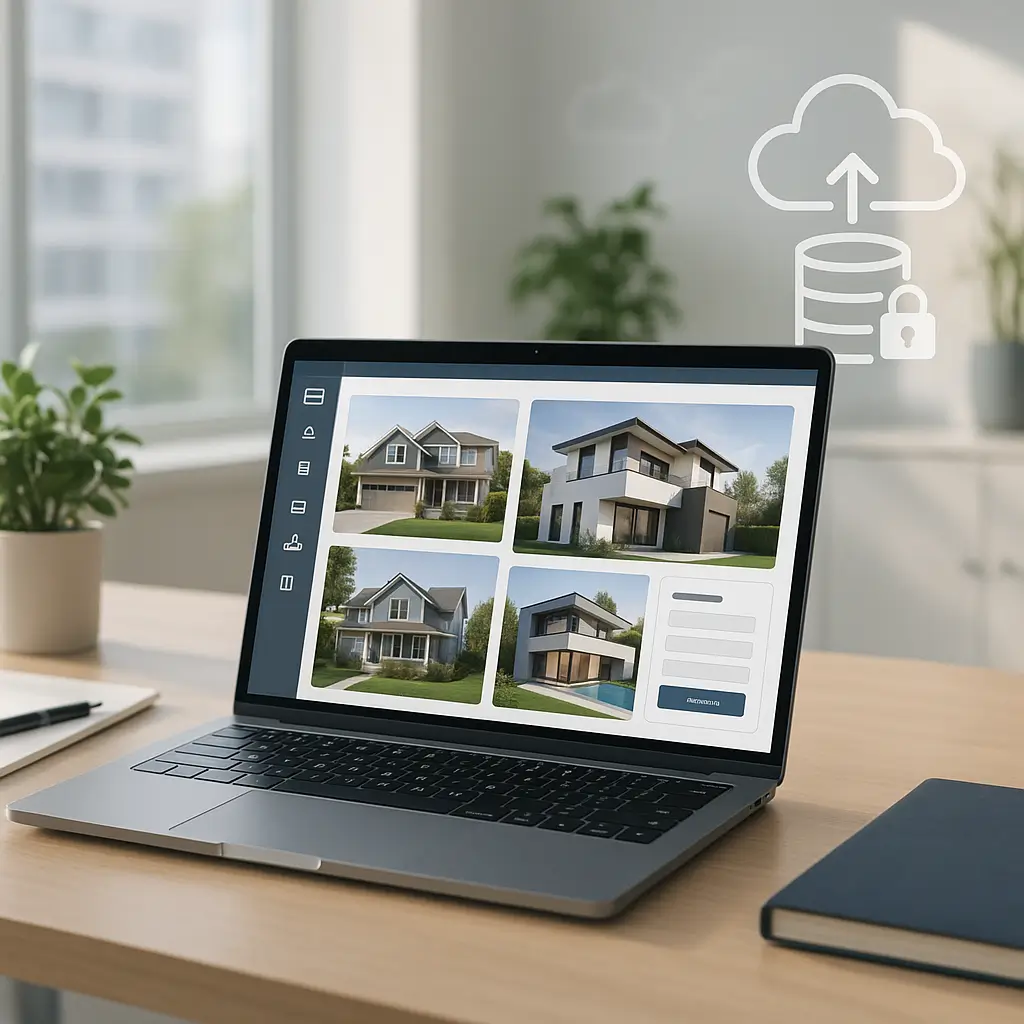
A real estate website can lose money while it still “looks fine.” If a listing form stops saving leads, a property gallery disappears, or yesterday’s open house update gets overwritten, you may not notice until a buyer or seller tells you.
That is why daily backups matter for real estate websites. Not because backups are exciting, but because real estate sites change often and usually collect valuable lead information.
For a simple brochure site that barely changes, weekly backups might be enough. For a realtor, brokerage, team site, or MLS-connected WordPress site, daily backups are usually the safer baseline.
What makes real estate websites different?
A real estate website is not just a few static pages. It often has listings, neighbourhood pages, agent profiles, property galleries, lead capture forms, map tools, mortgage calculators, and sometimes MLS or IDX integrations.
That means there are more moving parts than a basic five-page website.
Here are the parts that can change frequently:
- New property listings
- Sold or conditional listing updates
- Open house dates and times
- Listing photos and virtual tour links
- Neighbourhood landing pages
- Lead form submissions
- Saved searches or user accounts, depending on the setup
- Plugin settings for MLS, maps, SEO, caching, and forms
If something breaks, you do not want to restore a copy from two weeks ago and manually rebuild everything from memory.
Daily backups give you a recent recovery point. They reduce the amount of content, leads, and configuration work you lose if something goes wrong.
The biggest risks daily backups protect against
1. Lost leads from contact and showing request forms
Real estate leads are time-sensitive. If someone asks to book a showing on a Saturday morning, they probably expect a quick reply.
If your form plugin stores submissions in WordPress and the database gets corrupted, deleted, or rolled back, those leads can disappear. Email notifications are helpful, but they are not always enough because email can fail, land in spam, or be accidentally deleted.
A daily backup gives you a fallback if form records are lost. It is not a replacement for form monitoring, though.
If lead generation is a major part of your site, also read Lead Capture Form Testing: A Realtor's Guide. Backups help you recover data, but testing helps you catch problems before leads are missed.
2. Broken listings after plugin or theme updates
Real estate WordPress sites often rely on specialized plugins. MLS/IDX tools, listing managers, map plugins, page builders, caching plugins, and form plugins all need updates.
Most updates are routine. Some are not.
An update can change how a listing template displays, break a search filter, interfere with map loading, or cause a layout issue on mobile. If that happens, a recent backup lets you roll back while you investigate.
The key word is “recent.” A backup from last month may restore the site, but it may also remove new pages, new photos, and new leads.
3. Accidental edits by staff, agents, or contractors
Many real estate websites have more than one person logging in. An admin assistant may update open houses. A marketing contractor may edit neighbourhood pages. An agent may add photos or adjust listing copy.
That is normal, but it increases the chance of accidental changes.
Someone might delete a page, replace a featured image, edit a form, or change a setting without realizing the impact. Daily backups make those mistakes less painful.
Practical tip: Before giving someone full admin access, ask what they actually need to do. Many real estate team members only need editor-level access, not full control of plugins, themes, and settings.
4. Malware, spam redirects, and hacked admin accounts
Real estate sites can be targets because they run WordPress, collect leads, and often use multiple plugins. Attackers usually look for weak passwords, outdated plugins, abandoned themes, or unprotected admin logins.
A clean backup is one of the most useful tools during recovery. If you know when the problem started, you can restore a version from before the infection and then patch the weakness.
That said, restoring a backup without fixing the cause is a temporary fix. The site may get compromised again.
If security is a concern, see WordPress Security for Real Estate Agents for practical prevention steps.
5. Database corruption or hosting issues
WordPress stores most site content in a database. That includes pages, posts, listing entries, plugin settings, form records, menus, users, and SEO metadata.
If the database is damaged or partially overwritten, the site may load with missing content, broken layouts, or strange errors.
Good hosting reduces this risk, but no host can promise that a website will never have an issue. Backups are your safety net when prevention is not enough.
What should a real estate backup include?
A useful backup is more than a copy of your homepage. It should include enough of the website to restore the site properly.
For most WordPress real estate sites, that means:
- Database: pages, posts, listings, form entries, plugin settings, users, menus, and SEO data
- Media uploads: property photos, headshots, floor plans, PDFs, and community images
- Themes and plugins: especially custom themes or plugins that are no longer easy to download
- Configuration data: redirects, caching settings, security settings, and integration settings where applicable
The database is especially important. If your MLS plugin imports listings into WordPress, those records may live in the database. If your site only displays listings from an external feed, the feed may repopulate some data, but your plugin settings and display rules still matter.
Do not assume that “MLS data can just be pulled again” means your website is easy to rebuild. The integration settings, page templates, filters, search layout, and lead capture paths are often the hard part.
Daily backups vs real-time backups
Daily backups are a strong baseline for many real estate websites. They usually protect against the most common problems without creating unnecessary complexity.
But some sites need more.
You may want more frequent backups if:
- Your site receives a high number of form submissions every day
- Users can create accounts or save searches
- You manually add and edit listings throughout the day
- You run paid ad campaigns that send traffic to lead forms
- Your website is a core lead source for your brokerage or team
In those cases, daily backups may still lose several hours of activity if a failure happens late in the day. Hourly or real-time backup options may be worth considering.
The tradeoff is cost and storage. More frequent backups create more data and require a stronger backup process. For many small real estate sites, daily backups with good retention are the right balance.
When daily backups may be overkill
Daily backups are not automatically necessary for every website with a real estate logo on it.
If your site is a very simple brochure site, has no listing feed, rarely changes, and does not store form submissions in WordPress, weekly backups may be acceptable. You should still back it up before updates and before making major edits.
Daily backups may also be less valuable if nobody is checking that they work. A broken backup system can give you false confidence.
So the real answer is not “daily backups at all costs.” It is “back up often enough that you can tolerate the amount of data you might lose.”
How much data can you afford to lose?
This is the simplest way to decide your backup frequency.
Ask yourself: if the site failed at 4:00 p.m., would you be okay going back to yesterday’s version?
If the answer is yes, daily backups may be enough. If the answer is no because you would lose leads, listing changes, or paid campaign activity, you should consider more frequent backups.
Also think about how fast you need the site restored. A backup is only useful if you can access it and restore it quickly.
For a real estate site, a reasonable recovery goal might be:
- Restore basic site access quickly
- Confirm contact and lead forms work after restore
- Check listing search, property pages, and key landing pages
- Review recent form submissions and analytics where available
Write this down before there is an emergency. During a site outage, nobody wants to debate priorities from scratch.
Backups should not live only on the same server
This is one of the most common backup mistakes.
If your backups are stored only inside the same hosting account, a serious server issue, account suspension, malware infection, or accidental deletion could affect both the site and the backups.
A better approach is to keep backups in a separate location. That might mean remote cloud storage, a dedicated backup system, or a hosting platform with offsite backup support.
For real estate websites, this matters because the media library can be large. Property photos, floor plans, and PDFs add up quickly, so backup storage needs to be planned instead of guessed.
Ambrite’s cloud web hosting uses LiteSpeed, NVMe SSD storage, and Imunify360 security tools. Hosting starts at $7.99/month CAD, and we can help you choose a setup that fits how large and active your site is.
Test your backups before you need them
A backup is not proven until it has been restored successfully.
Many site owners only discover backup problems during an emergency. The backup file is incomplete, too old, corrupted, missing media files, or difficult to access.
Testing does not mean you need to restore over your live website. A safer option is to restore to a staging environment or temporary location, then check whether the site works.
At minimum, test that:
- The homepage loads correctly
- Property listing pages display properly
- Search and filter tools still work
- Contact, showing request, and valuation forms load
- Recent uploads, such as listing photos, are present
- Important plugin settings are intact
For more detail, read How to Test WordPress Backups (and Why You Should).
What about MLS and IDX websites?
MLS and IDX setups deserve extra attention because not all integrations store data the same way.
Some systems pull live data from an external provider. Others import listing information into WordPress on a schedule. Some do a mix of both.
That changes what a backup can restore.
If your listing data is mostly external, your backup may not need to preserve every listing record, but it still needs to preserve the site structure, plugin settings, templates, pages, forms, and SEO content. If the integration stores imported listings locally, the database becomes even more important.
The safest move is to ask your provider or developer how your listing system works. You do not need every technical detail, but you should know whether listings are stored inside WordPress, pulled externally, or both.
If your site depends heavily on MLS functionality, maintenance should include more than backups. Listing syncs, search filters, form paths, mobile display, and plugin updates all need regular checks.
Canadian privacy considerations
Real estate websites often collect personal information. Names, email addresses, phone numbers, property addresses, budget ranges, and moving timelines can all be sensitive.
In Canada, privacy responsibilities can fall under PIPEDA or applicable provincial privacy laws, depending on the organization and context. Backups are part of that conversation because they may contain copies of personal information.
That means backup access should be limited. Backups should not be casually shared by email, stored on random personal devices, or left in public folders.
Ask these practical questions:
- Who can access backup files?
- Are backups stored securely?
- How long are backups kept?
- Can old backups be deleted when no longer needed?
- Does your maintenance provider understand Canadian privacy expectations?
You do not need to become a privacy lawyer to manage backups responsibly. But you do need to treat backup files as sensitive, especially if they include lead form entries.
How long should you keep backups?
Retention matters because some problems are not discovered right away.
If a plugin update broke your listing pages yesterday, last night’s backup may help. If malware was added quietly several weeks ago, restoring only yesterday’s backup might restore the malware too.
A practical retention setup might include:
- Recent daily backups for short-term recovery
- Weekly backups for issues discovered later
- Monthly backups for longer rollback options
The exact retention period depends on storage space, website size, risk, and privacy requirements. Image-heavy real estate sites can use a lot of storage, so keeping every backup forever is rarely practical.
Do not keep backups longer than you need “just because.” Old backups can create privacy and security risk if they contain personal information.
Back up before major changes
Daily backups are helpful, but they should not be your only backup habit.
Always create a fresh backup before major work, such as:
- Updating WordPress core
- Updating MLS, IDX, form, page builder, or caching plugins
- Changing themes
- Editing listing templates
- Adding new tracking scripts
- Making large changes to forms or landing pages
- Running database cleanup tools
This gives you a clean rollback point from immediately before the change. If something breaks, you are not relying on last night’s version.
For busy sites, the better approach is to test major changes on staging first. Then apply the changes to the live site after confirming listings, forms, and mobile layouts still work.
Backups are not a full maintenance plan
Backups are essential, but they are not the whole job.
A real estate website also needs updates, security monitoring, uptime monitoring, form testing, speed optimization, spam protection, and occasional database cleanup. Backups help you recover after something goes wrong. Maintenance reduces how often things go wrong in the first place.
Think of backups like insurance. Necessary, but not the same as locking the doors.
Ambrite offers WordPress maintenance plans from $49/month CAD for Canadian small businesses, including real estate professionals. Plans include daily updates, daily backups, uptime and malware monitoring, daily speed checks, and reliable delivery for site form and order emails.
A simple backup checklist for real estate sites
If you are reviewing your current setup, use this checklist.
- Backups run at least daily
- Backups include both files and database
- Backups are stored off the main hosting account
- There is enough retention to recover from problems found later
- Backups are tested periodically
- Fresh backups are taken before major updates
- Access to backup files is limited
- Lead forms are tested separately from backups
- MLS/IDX functionality is checked after updates
- Someone knows who to contact if a restore is needed
If you are missing one or two items, fix those first. You do not need a perfect enterprise setup to be much safer than most small business websites.
What to ask your web host or maintenance provider
Do not settle for “yes, we do backups.” Ask specific questions.
- How often are backups created?
- What exactly is included?
- Where are backups stored?
- How long are backups kept?
- Can I request a restore quickly?
- Is there a cost for restores?
- Have the backups been tested?
- Can you restore to staging instead of overwriting the live site?
- How do you handle backups that contain lead data?
The answers matter more than the marketing language. A provider who can explain the process clearly is usually safer than one who gives vague promises.
Need help reviewing your backup setup?
If your real estate website generates leads, daily backups are not optional busywork. They are a basic protection against lost inquiries, broken listings, bad updates, malware, and accidental edits.
If you are not sure whether your current backup system is reliable, you can ask Ambrite about hosting, WordPress maintenance, backups, and site care. You can contact Ambrite and we will help you figure out what kind of backup and maintenance setup makes sense for your site.
This article was written with the help of AI and reviewed by Ambrite. Pricing, features, and technical details may change. Always verify with official sources before making decisions.
Was this article useful?
Related Articles
Your WordPress site loads in 8 seconds on mobile. Meanwhile, your competitor's site loads in 2...
Running a restaurant in 2026 means juggling a thousand things at once. Your WordPress site...
Your WordPress site has 47 active plugins and takes 8 seconds to load. Sound familiar? Plugin...
Your real estate website is more than just a digital business card: it's a 24/7 sales machine...
Your staff page hasn't been updated since Jessica left in 2022, and your services page still...
