
Blog
Signs Your Site Needs Professional Maintenance
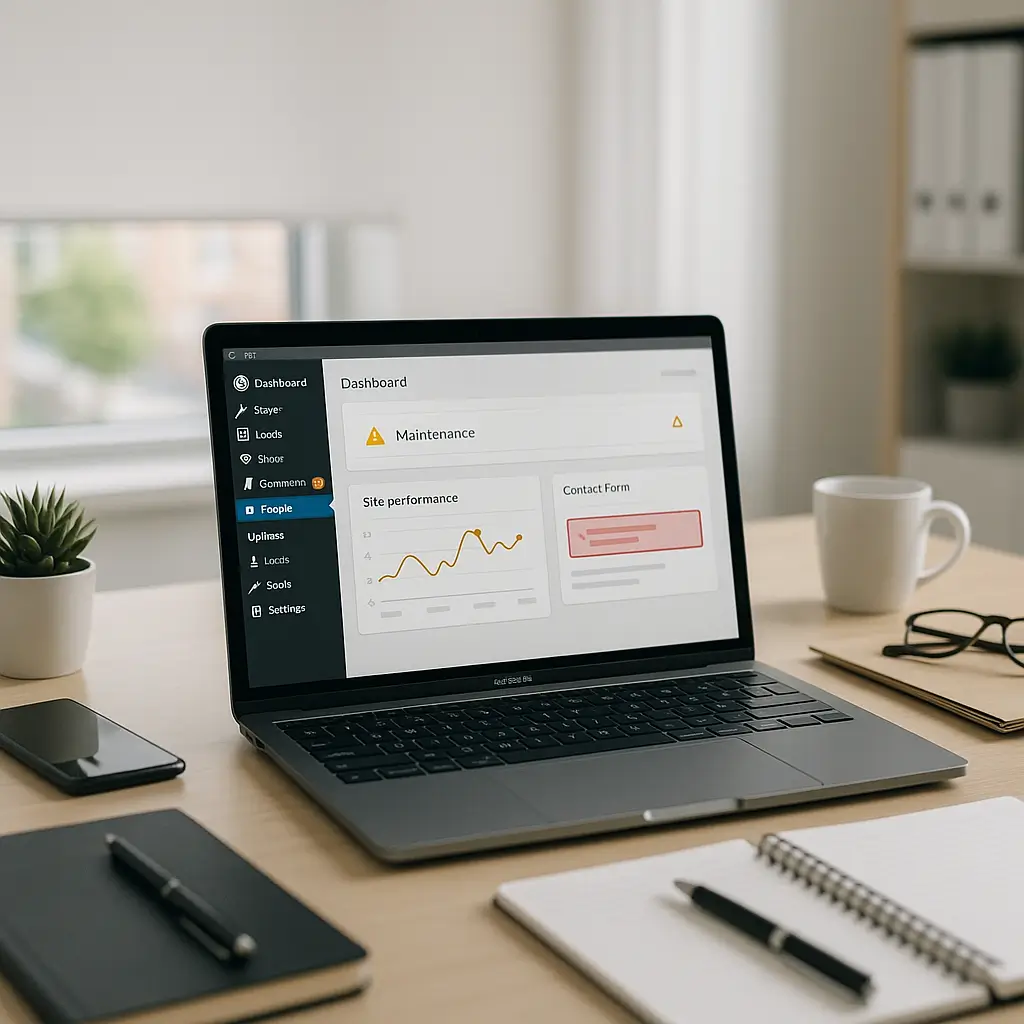
Your website rarely “breaks all at once”. It usually gives you warning signs first.
A slow page here, a plugin warning there, a contact form that works “most of the time.” On their own, these issues seem small. Together, they usually mean your WordPress site needs more than the occasional update button click.
Professional maintenance is not just for large companies. If your website brings in leads, bookings, consultations, orders, or phone calls, it needs regular care. For many Canadian small businesses, the website is the front desk, sales rep, brochure, quote form, and credibility check all in one.
Here are the clearest signs your site needs professional maintenance, and what to do before small problems turn into expensive repairs.
1. Your Website Is Getting Slower
Speed problems are one of the easiest signs to ignore because they creep in gradually. Your site may have felt fast when it launched, but over time plugins, images, database clutter, scripts, ads, tracking tags, and theme changes can slow it down.
If your pages take several seconds to load, especially on mobile, visitors may leave before they even see your services. That matters for restaurants, contractors, clinics, law firms, real estate agents, and any business where customers compare several options quickly.
Common causes of a slow WordPress site
- Oversized images uploaded directly from phones or cameras
- Too many plugins doing overlapping jobs
- Poor caching configuration
- Cheap or overloaded hosting
- Old database revisions, spam comments, and transients
- Page builders loading unnecessary CSS and JavaScript
- Third-party scripts from chat widgets, analytics tools, maps, or booking systems
A professional maintenance provider will not just install a caching plugin and call it done. They should look at the full stack: hosting, theme, plugins, database, images, caching, CDN options, and mobile performance.
If speed is already a known issue, start with our WordPress Speed Optimization Checklist. It explains the main areas worth checking before you spend money on random fixes.
Practical test: Open your site on your phone using mobile data, not office Wi-Fi. If it feels slow to you, it probably feels worse to a first-time visitor.
2. You Are Afraid to Update Plugins
If you hesitate every time WordPress shows update notifications, that is a strong sign you need a maintenance plan.
That fear is not irrational. Updates can break layouts, forms, checkout pages, booking calendars, membership areas, and integrations. The risk is higher if the site has not been maintained regularly or if plugins are several releases behind.
The problem is that avoiding updates creates a different risk: security vulnerabilities. Outdated plugins are one of the most common ways WordPress sites get compromised.
Signs your update process is too risky
- You update plugins directly on the live site without testing
- You do not know whether you have a recent working backup
- You have no staging site
- You cannot tell which plugins are essential
- You see update warnings but leave them for months
- Your theme has not been updated in a long time
Professional maintenance usually includes a safer update workflow: backup first, update in a controlled way, check key pages, test forms, and monitor the site after changes.
For small brochure sites, updates may be straightforward. For WooCommerce, booking, legal intake, healthcare, or real estate sites, testing matters much more because one broken form can mean lost revenue or missed appointments.
3. Contact Forms or Booking Forms Are Unreliable
A contact form does not need to be visibly broken to be a problem. Sometimes the form submits successfully, but the email never arrives. Sometimes it lands in spam. Sometimes a plugin update changes a field, breaks a notification, or disconnects an integration.
This is especially serious if your site collects quote requests, appointment requests, legal intake details, patient inquiries, or real estate leads.
Watch for these warning signs
- You receive fewer inquiries than usual with no clear reason
- Customers say they submitted a form but you never received it
- Form emails arrive in spam or junk folders
- Autoresponders stopped working
- Your CRM or email marketing integration is missing entries
- Forms work on desktop but not on mobile
Maintenance should include regular form testing. Not just “does the button submit?” but also whether the message arrives, whether the autoresponder fires, whether required fields make sense, and whether the form works on mobile.
For Canadian businesses, this also connects to privacy. If your forms collect personal information, you should know where that data goes, who can access it, and whether your privacy policy matches your actual setup. If you need a refresher, see How to Comply with PIPEDA: Essential Privacy Policy Requirements for Canadian Websites.
4. You Have No Clear Backup Plan
Many site owners assume their website is being backed up. That assumption is dangerous.
Your host may provide backups, but you should know how often they run, how long they are retained, what they include, and how quickly they can be restored. A backup you cannot restore is not much better than no backup at all.
You need professional help if you cannot answer these questions
- When was the last successful backup?
- Does the backup include files and the database?
- Where are backups stored?
- How many restore points are available?
- Has anyone tested a restore recently?
- Who is responsible if the site goes down?
Backups are not only for hacks. They help when an update fails, a page is accidentally deleted, a plugin corrupts data, or a developer makes a bad change.
For simple business sites, daily backups may be enough. For WooCommerce or booking sites, backups may need a more careful approach because orders, appointments, and form submissions change throughout the day.
5. You See Security Warnings or Strange Behaviour
Security problems are not always obvious. A hacked WordPress site may look normal to you while secretly redirecting visitors, sending spam, injecting hidden links, or creating fake admin users.
Do not wait until Google, your browser, or customers tell you something is wrong. By then, the cleanup can be more expensive and your reputation may already be affected.
Red flags that need immediate attention
- Unknown admin users appear in WordPress
- Your site redirects to strange pages
- Security plugins report suspicious files
- Your host warns you about malware or spam
- Google shows “This site may be hacked” or similar warnings
- Your pages contain links you did not add
- Visitors report pop-ups or downloads you cannot see
If you suspect an infection, do not start deleting random files unless you know what you are doing. That can make the site harder to recover or remove evidence needed to understand how the attack happened.
For more detail, read Signs Your WordPress Site Has a Hidden Infection.
Professional maintenance should include security monitoring, malware scanning, updates, login protection, SSL checks, and sensible hardening. On Ambrite hosting, Imunify360 is part of the security stack, which helps detect and block many common threats before they become bigger problems.
6. Your Website Looks Broken on Mobile
Most visitors will not inspect your website on a large desktop monitor. They will tap from Google, social media, an email, or a map listing on their phone.
If buttons overlap, menus are hard to use, images stretch oddly, or forms are painful to fill out, you are losing people.
Mobile problems that often need maintenance
- Headers taking up too much screen space
- Call buttons that are too small or hard to tap
- Forms with too many fields
- Images slowing down mobile pages
- Pop-ups covering important content
- Booking widgets that do not resize properly
- Text that is too small or crowded
Sometimes this is a maintenance issue. Other times it points to an aging design. A good provider should be honest about that difference.
If the site structure is still solid, maintenance and speed optimization may be enough. If the theme is outdated, the layout is hard to edit, or the site was built around old business information, a redesign may be the better use of your budget.
7. Your Content Is Out of Date
Outdated content quietly damages trust. Visitors notice old staff members, incorrect hours, outdated services, expired promotions, old menu items, and missing location details.
They may not tell you. They just leave.
Content that should be checked regularly
- Business hours and holiday hours
- Service pages
- Staff bios and team photos
- Pricing language, if shown publicly
- Menus, appointment types, or booking policies
- Location and parking details
- Phone numbers and email addresses
- Privacy policy and terms pages
For regulated or trust-sensitive industries, outdated content can be more than embarrassing. Law firms, clinics, financial professionals, and healthcare practices need to be careful about claims, credentials, disclaimers, and privacy language.
A maintenance provider does not need to write all your content, but they should help keep important pages current and make updates without breaking layouts.
8. Your Plugin List Has Become a Junk Drawer
Many WordPress sites collect plugins over time. One for a slider, one for a form, one for analytics, one for SEO, one for a gallery, one for a popup, one someone installed years ago and forgot about.
Every plugin adds potential maintenance work. Some add security risk. Some slow the site down. Some conflict with each other.
Signs your plugin setup needs review
- You have multiple plugins doing similar jobs
- You do not know what several plugins are for
- Some plugins have not been updated by their developers recently
- Deactivating one plugin breaks unrelated parts of the site
- Your admin dashboard feels cluttered and confusing
Professional maintenance includes plugin review, not just plugin updates. The goal is to keep what serves the site and remove what creates unnecessary risk.
Do not delete plugins randomly, especially on a live business site. Some plugins store forms, shortcodes, design elements, redirects, SEO metadata, or custom fields. Removing the wrong one can break pages or erase functionality.
9. Your Site Goes Down and Nobody Knows Why
Downtime is stressful because it usually happens at the worst possible time. A customer tries to book, a patient checks directions, a homeowner requests a quote, or someone clicks your ad, and the site does not load.
If your response is “I’ll call whoever built it,” you may already be in trouble. Many web designers are not responsible for ongoing maintenance unless you have a plan in place.
Good maintenance should include monitoring
- Uptime monitoring
- Security alerts
- Backup success checks
- Update tracking
- Form testing
- Basic performance review
Monitoring does not prevent every issue, but it reduces the chance that customers discover the problem before you do.
Hosting also matters. Ambrite’s cloud web hosting uses LiteSpeed, NVMe SSD storage, and Imunify360, with plans starting at $7.99/month CAD. Better hosting will not fix a poorly maintained site by itself, but it gives your site a stronger foundation.
10. You Depend on the Website but Treat It Like a One-Time Project
This is the big one.
If your website helps generate leads, appointments, orders, calls, applications, or credibility, it is not a one-time project. It is a business system.
Business systems need care. Your website is no different from your phone system, payment terminal, email account, booking software, or vehicle. Ignoring maintenance does not save money; it usually delays the bill until something breaks.
You probably need professional maintenance if your site handles:
- Contact forms or quote requests
- Appointment bookings
- Online orders
- Payments or deposits
- Client intake forms
- Private or sensitive information
- Regular content updates
- SEO traffic or paid ad landing pages
If your site is purely informational, rarely changes, and is not a major source of leads, you may not need a large maintenance plan. Basic updates, backups, and security monitoring may be enough.
But if a broken form or hacked page would cost you real business, professional maintenance is usually cheaper than emergency repair.
When You Might Not Need Professional Maintenance
Not every website needs the same level of care. It is worth being honest about that.
You may not need a monthly maintenance plan if your site is a tiny brochure site, has no forms, receives very little traffic, and you are comfortable handling updates and backups yourself.
You also may not need professional maintenance if your website is on a fully managed closed platform where updates are handled for you. Even then, you still need to check content accuracy, forms, analytics, accessibility, and privacy requirements.
Where people get into trouble is assuming WordPress works the same way as a closed website builder. WordPress gives you more flexibility and ownership, but it also needs responsible upkeep.
What Professional Maintenance Should Actually Include
A good maintenance plan should be practical, not mysterious. You should know what is being checked and what happens when something goes wrong.
Typical WordPress maintenance may include:
- WordPress core updates
- Plugin and theme updates
- Backups and restore checks
- Security monitoring
- Malware scanning
- Uptime monitoring
- Form testing
- Performance review
- Database cleanup
- Minor content updates
- Staging site use for riskier changes
- Reports or summaries so you know what was done
For a deeper breakdown, see What Does a WordPress Maintenance Plan Include.
Ambrite offers WordPress maintenance and security plans starting from $49/month CAD. For many small businesses, that is easier than trying to remember updates, backups, security checks, and form testing while also running the business.
What to Do If You Recognize Several of These Signs
If one issue sounds familiar, start there. If five or six sound familiar, your site probably needs a proper maintenance review.
Here is a sensible order of operations:
- Check backups first. Before updating or changing anything, confirm you have a recent backup that can be restored.
- List critical functions. Write down what must work: forms, booking, checkout, phone links, maps, lead capture, or downloads.
- Review updates. Check WordPress core, theme, and plugin update status, but do not blindly update a high-risk site.
- Test forms and mobile pages. Use a real phone and submit real test inquiries.
- Scan for security issues. If anything looks suspicious, stop and get help before making random changes.
- Decide whether this is maintenance or redesign. A neglected but solid site can often be recovered. A broken, outdated, hard-to-edit site may need rebuilding.
If you are not sure which category your site falls into, ask for a professional review. A good provider should tell you when a maintenance plan is enough, and when it is not.
Need a Second Set of Eyes?
If your WordPress site is slow, outdated, unreliable, or making you nervous every time you log in, it is probably time for professional maintenance.
Ambrite helps Canadian small businesses with WordPress maintenance, secure cloud hosting, and web design. If you want someone to review your site and recommend the right next step, you can contact Ambrite and we’ll take a look.
This article was written with the help of AI and reviewed by Ambrite. Pricing, features, and technical details may change. Always verify with official sources before making decisions.
Was this article useful?
Related Articles
Your WordPress site loads in 8 seconds on mobile. Meanwhile, your competitor's site loads in 2...
Running a restaurant in 2026 means juggling a thousand things at once. Your WordPress site...
Your WordPress site has 47 active plugins and takes 8 seconds to load. Sound familiar? Plugin...
Your real estate website is more than just a digital business card: it's a 24/7 sales machine...
Your staff page hasn't been updated since Jessica left in 2022, and your services page still...
